82

I manage a medium sized team of developers that have a tendency to leave their machines unlocked as they go throughout their day. Being developers they will often have browser windows open and I'm worried that it's sending the wrong image to stakeholders when they are often seeing what they would see as something other then work on my staffs screens whenever they pop by. I also want to encourage them to lock their machines if they are going to be away from their desks as that also adds a layer of security I see as beneficial.

I've brought this up in meetings but it doesn't seem to have changed anything. Should I take a more formal approach?

Michael A
  • 3,819
  • 3
  • 26
  • 42
Michael
  • 780
  • 1
  • 5
  • 10
  • 90
    So, you're worried about what's on their screens, but not the huge security risk of leaving a machine logged in and unattended? As a stakeholder, I would care a lot more about someone being able to untraceably compromise the work than a developer having a couple browser windows open. – ColleenV Nov 03 '15 at 03:21
  • 17
    Why not just make the machines auto-lock after a small timeout window? – Caleb Nov 03 '15 at 08:12
  • 30
    @Caleb Because a small timeout is annoying especially if you are reading something. Personally I just press Win-L (or whatever shortcut the operating system uses). The combination to lock the screen should be easy to press and easy to remember. To unlock it, you must enter your password. – Brandin Nov 03 '15 at 08:26
  • 35
    Do you know why people don't lock their machines? I for one used to lock my machine every time but broke that habbit when started working in an environment that made it far to easy to get my account locked and far to difficult to get it unlocked again. – Lieven Keersmaekers Nov 03 '15 at 11:21
  • Can't the machines be set to turn off the monitor or something if left alone for too long? –  Nov 03 '15 at 13:40
  • Comments removed. Comments are not for discussion, arguments, or answering the question. The last comment in this long thread began "to add another dimension to the debate" -- stop. Take debates to chat. – Monica Cellio Nov 05 '15 at 02:29
  • @michael if that is what concerns you, then decree that a blank- screen screen saver activating after X seconds is mandatory. That is bearable. If it locks it is a pain. – Thorbjørn Ravn Andersen Nov 05 '15 at 18:21
  • If you can't administratively lock the computer after X minutes, set their wallpaper to something work appropriate that makes them look silly. When you tell them who did it, remind them you could just as easily have sent a nasty-gram to someone important, like the president of the company. – Tim Nov 05 '15 at 20:54
  • 1
    During my first years of college, whenever computers were found unlocked in the lab, someone would go to a search engine, find a funny image, set it as the user's wallpaper, and lock the account. (Not sure this would be appropriate for a more professional environment though.) – Daniel Nov 06 '15 at 13:45
  • Just to add a comment for the pranksters: I'd like to remind you of the Computer Misuse Act (1990), the Communications Act (2003) and the Data Privacy Act (1998) that say you can (theoretically at least) get jail time for those pranks. Your country may vary to the UK legislation. Sending emails from an unlocked computer is childish too. As I asked my colleagues the last time they pranked me - "Do I have to lock up my wallet too?" (as it is usually in my jacket pocket on the back of my chair) – gbjbaanb Nov 11 '15 at 15:38
  • Our solution is to invert the screen if left unlocked and also to have it in the company policy to do so, that seems to be enough to encourage locking of screens – RoguePlanetoid Dec 13 '16 at 10:26
  • Windows can lock the screen if your phone comes out of reach. This might be useful here. – Thorbjørn Ravn Andersen May 09 '23 at 07:53
  • I've worked mostly at companies or every size where you didn't have to lock your computer and nothing bad ever happened. I've worked at two companies where you had to lock your computer every time you walked away or else. I can only speak for my own experience, but the undeniable difference was the latter companies were filled with miserable children who get off on punishing people in public. It was like being around middle-school hall monitors that operated outside the rules.

    Just don't work somewhere others can violate your space to teach u a lesson, without having to prove your guilty.

    – fearofmusic May 16 '23 at 14:58

20 Answers20

127

The Donuts game!

Facing similar challenges we adopted a solution in my workplace for this called the "donuts" game. Keep in mind that this does have a tendency to be somewhat distracting. For this reason we don't run this year round, only in December when the pressure is off and there's a lighter mood in the office that we want to foster heading into the Christmas break.

Rules

The game is quite simple - if you leave your computer unlocked and another team member notices then they have free reign to open your e-mail client and e-mail the team e-mail the word 'donuts' from your account. Each time somebody does this to you successfully that's one point against your name. The person at the end of the week that has the most points against their name has to buy donuts for the team for our SCRUM standup on Monday morning.

This has the benefit of challenging people to be the best they can be at locking their machines, and creates an informal penalty system for those that continue to fail in locking their machine.

But does it work for you?

Keep in in mind that this isn't for all work environments - we have a team it works really well for and we talked about it as a group to make sure everybody was on board before starting. I strongly advise considering your team and the personalities involved before putting something like this in place.

Also be sure to consider whether there are any issues with team members using another's machine, even to send an e-mail. The medical industry in many locales will specifically prevent this (either through regulation or a need for high privacy), the finance industry would in many cases be the same. If these aren't a barrier though - have fun!

Michael A
  • 3,819
  • 3
  • 26
  • 42
  • 57
    Oooh, oooh, do spoofed emails through SMTP count? Because I can totally win this game. Super easy to send emails as anyone. So I can pick anyone to lose. I guess the downside is maybe getting fired. But at least I'll have donuts! – enderland Nov 03 '15 at 13:40
  • 10
    @enderland Sounds like the perfect excuse to implement PGP. I'd consider the ability to spoof emails a security issue worth addressing. – Ajedi32 Nov 03 '15 at 14:46
  • 113
    No. This is a terrible, terrible idea. It encourages people to 1) go on other's machines, 2) go IN THEIR EMAIL client, and 3) gives them an easy out if they were to do something nefarious "Oh I was just giving him the donuts, haha he left his machine unlocked". Please never encourage anyone to go on someone else's machine. – corsiKa Nov 03 '15 at 15:16
  • 56
    @corsiKa if they are not bothering to lock their machine to prevent access then you can't treat machines as sacred to a user. If pranky stuff happens when machines are unlocked they soon start locking them. Not only is it a pita but a reminder of the realworld security risk. – JamesRyan Nov 03 '15 at 15:22
  • 3
    If there are industry rules/regulations that make it an issue to use a computer someone left unlocked, in my experience it is also an issue (up to firing offense) for leaving the computer unlocked and unattended in the first place. – Mr.Mindor Nov 04 '15 at 21:05
  • @Mr.Mindor I already addressed this in my answer. – Michael A Nov 04 '15 at 21:25
  • 3
    We did similar shaming at my last job, and it was very effective. I reject @corsiKa 's reasoning, because by leaving your workstation unlocked, you are promoting such behavior, so that's why the system works. Another solution would be to outright fire the next person you see do it, and I guarantee the rest will fall in line VERY quickly. – Tim S. Nov 04 '15 at 21:36
  • 3
    @Codingo You mention that playing your game might be against the rules, but don't actually point out that the owner leaving the computer unlocked in the first place is probably already a violation. – Mr.Mindor Nov 04 '15 at 21:36
  • 2
    @Mr.Mindor If somebody is in a workplace where leaving a computer unlocked is a fireable offence they will already know about it and there's no need to expand the answer further from where it already is. – Michael A Nov 04 '15 at 22:54
  • 3
    @TimS. The effectiveness is not in question. Your example illustrates this point: you can be effective at solving the problem by firing someone too. But that's a terrible first step too because, just like with public shaming, the cons (security risks) outweigh the pros. It's a simple pros-vs-cons scenario. If you feel encouraging someone to go on someone else's unlocked workstation isn't a security risk, then by all means shame them with donuts. – corsiKa Nov 05 '15 at 02:48
  • 2
    This is a very cool idea. Btw: I once underwent the shortages of the hard-mode of this game: A fellow colleague sent an email saying "I love you" for some of my company contacts. Embarassing enough so I learned the lesson :-) – Marc.2377 Nov 05 '15 at 03:44
  • 1
    I worked on a help desk for a while and, while not officially sanctioned, those of us that accepted the importance of locking workstations would always make sure to punish anyone who forgot. Our pranks included: Rotate monitor settings to 180°; take screenshot of desktop, set as wallpaper, then move all icons from desktop into a subfolder in My Documents; reverse left- and right-click buttons on mouse; set wallpaper to My Little Pony... – Dan Henderson Nov 05 '15 at 05:49
  • 20
    I want to add a suggestion : If everyone has 0 points (everyone did good!), then THE MANAGER brings donuts. :) – Zaenille Nov 05 '15 at 08:14
  • @Zaenille Nice addition, I like it! – Michael A Nov 05 '15 at 08:39
  • 3
    We do something very similar, except we put a donut picture fullscreen on the computer left open. Whoever finds a donut on his screen must bring in donuts, no points count. This version doesn't give an excuse to go into the mailbox of the computer left open, it can be a minor improvement. – Petit Lama Nov 05 '15 at 14:37
  • The nights must fly by. – Pequod Nov 05 '15 at 15:44
  • I'm just sorry that you have to have SCRUM standups (esp. on a Monday). – WackGet Nov 05 '15 at 17:27
  • I got in trouble doing this at a large online retailer. But generally I agree. At another shop we would replace the desktop background with a retro Hasselhoff picture, preferably showing lots of chest hair. – 300D7309EF17 Nov 05 '15 at 20:37
  • It feels to me like we're trivializing a real security problem by reducing it to a funny shaming involving donuts, and there may be some risk of the team interpreting the game to mean that the problem is not serious. If an attacker were to access your unlocked workstation and, say, does something damaging to the company, would the company be within its rights to think you did it, and fire you? Maybe I'm being too serious. I hope so. – Mathieu K. Nov 08 '15 at 08:21
  • @MathieuK. This is why the last clause is there. It's a lot more serious at some workplaces than it is at others. Always consider your own personal circumstance before implementing something like this. – Michael A Nov 08 '15 at 10:59
  • 1
    Everyone in my cohort in college knew that leaving your computer unlocked meant that it would be tempered with. I had my wallpaper, icons, default browser, icons and language changed a few times.

    In the workplace, I would usually just change the wallpaper and lock their computer. Even my senior, conservative colleagues would take it very well, and it eventually entered the culture in my area of the office.

    I think going through someone's emails would be perceived poorly by some people, but a small, harmless prank is usually fine.

    – nicbou Nov 13 '15 at 11:19
  • 2
    I voted down because this sounds like a tactic that the worst company I ever worked at would use. Public shaming, finger pointing and pitting people against each other is the worst possible idea. – DaveG Jul 15 '19 at 18:06
  • Don't think this is a good solution in a professional environment. See also answer https://workplace.stackexchange.com/a/57075/82961 – Sybille Peters May 12 '23 at 20:54
51

I deal with this a lot from the Network Engineering side. Programmers here are normally given a bit of leeway and respect because in theory they're professionals and will follow security protocols without needing their hands held. So best policy is to try and get them to comply informally.

Methods for internal resolution are for the team to police each other as outlined in other answers by a system of small harmless punishments. But in my opinion better if the manager just makes it mandatory.

But when they're recalcitrant it's fairly easy to fix formally.

The solution was for the manager to tell the programmers that they either sort out their security themselves or the engineers will come and lock peoples machines down and enforce group policies... this usually did the trick pretty quickly. Usually it doesn't even have to be followed through with.

A non confrontational way which I use a lot is to get the Network Engineering Manager (in this example, me) to attend a meeting and spend a couple of minutes politely telling the programmers some home truths. This takes any uncomfortable issues off the Manager and coming from a third party who can actually enforce things is a good strategy. I just go in introduce myself, apologise for taking their time and outline simple network security policies that MUST be enforced as part of my role. Treat them like the professionals that they are. Ask if anyone needs to know how to lock their machine, take any questions they might have, thank them for their time and leave the meeting so they can sort out how they want to do it (I don't want to know about baggy pants or donuts or pizza). Even just an email to their Manager will be enough usually, he can then forward it to his team and discuss it at their meeting. The crux is having it come from the authorised third party.

I have only rarely needed to actually do it, this goes for any group of professionals or elites within a company, I have used this method with pilots, doctors and lawyers as well as programmers.

Kilisi
  • 222,118
  • 122
  • 486
  • 793
  • Locking down group policies against engineers is how you find out that group policies can be subverted. – Joshua Nov 03 '15 at 17:53
  • 5
    If I locked down your machine you would not be subverting it without getting caught pretty quickly, only an incompetent engineering manager would not monitor programmers after such a move. They would be expecting exactly that, and actively looking for someone to make an example of. Engaging in a war with Network admin is not something you can win, they control all the ammo including your machine. It's not something you should be even attempting, because it could cost you your job. At the very least it will get you reprimanded. – Kilisi Nov 03 '15 at 18:03
  • 3
    Never underestimate the kernel debugger. – Joshua Nov 03 '15 at 18:09
  • 20
    @Joshua https://xkcd.com/538/ is relevant to your ingenuity here. "Oh, he's cunningly got around our reasonable security setup using kernel hacking on company computers! However shall we beat this l33t haxx0r?" checks IT policy "Oh, right, we can just fire him." – deworde Nov 04 '15 at 09:25
37

Where I work, it's an unofficial policy that anyone leaving their computer unlocked for long enough will have someone go to it and send an email offering to bring pizza, or pastries in for everyone the following day.

The result of this is that someone has to admit to leaving their computer unlocked and being a cheapass, or follow through and bring some grub in. Granted, occasionally bringing food/candy into the breakroom for everyone is also normal here.

The advantage of this is that other employees will enforce it for you.

paul sullivan
  • 459
  • 3
  • 3
  • Same here; the "penalty" is immediate, and everyone is happy. – Matthieu M. Nov 03 '15 at 12:29
  • 7
    and is much simpler than counting points for donuts game. Also, new employees will get fair warning: if unlocked, somebody will send email "I am a bad boy, forgot to lock my keyboard" for first few offenses – Peter M. - stands for Monica Nov 03 '15 at 21:42
  • @PeterMasiar Usually new people learn about it by seeing it happen, or being warned. You're also more likely to comply and bring the food in if you've been warned in advance. – paul sullivan Nov 04 '15 at 10:21
37

None of the answers suggesting pranking or such are appropriate in a nominally secure environment.

A secure environment has a formal POLICY for security, a formal PROCESS for complying with that policy, and a formal PROCEDURE for addressing non-compliance. In all previous answers, the advocated procedure for addressing the lapse is itself a violation of the security policy AND process.

In other words, when a lazy user's desktop screen picture is changed to a David Hasselhoff bikini photo, or the user's email is used to send a "hacked donuts" email...from the standpoint of certification, you've not only had a POTENTIAL security breach, you've now had an ACTUAL security breach.

I'm assuming here that the issue of security isn't just some arbitrary requirement...like, there's customer PII floating around, and/or PCI or SAX70 compliance or other compliance certification is at stake. It is enough justification (IMHO) that clients are in the area, where they may see sensitive business information about other clients.

The proper way to deal with this is for the IT security staff to do sweeps of the office during their normal day's wandering around, and if they come aross an unlocked, unattended computer, they change the user password and lock the screen/computer, leaving a note for the user that they have to contact IT to re-enable their account. The IT staffer of course has to be using some kind of rotating "reset password" scheme, so that the changed password can't just be guessed by the returning user.

dwoz
  • 1,488
  • 9
  • 10
  • 1
    +1 for pointing out the unprofessional aspects, although it's more a critique of other answers it makes an excellent point in terms of professionalism. I should have mentioned it in mine, although I did a bit in the comments. – Kilisi Nov 04 '15 at 00:38
  • 1
    You can also have IT just disable the account in the AD, or similar for non-Microsoft environments. All multi-user systems I've seen have a documented way of disabling a specific user account such that it can easily be re-enabled later (which normally requires administrative access). This way, "past passwords" rules set up do not get in the way of the user keeping their current account password. – user Nov 04 '15 at 10:09
  • @MichaelKjörling, that's certainly true and likely a preferred action on the part of IT. However, a recorded "breach" will typically require a password change regardless, as a matter of course? – dwoz Nov 04 '15 at 16:05
  • 9
    I was so disappointed that I had to scroll past a bunch of prank suggestion answers to finally get to this one that I logged in just to upvote it. This should be a caveat on all the other answers. – Adam Jensen Nov 05 '15 at 04:31
  • 3
    The first part of your answer looks like you're rephrasing the OP's problem. He already believes this is necessary. He's not drafting or introducing a new policy, he's trying to implement it and make his staff apply it. Turning it into a game is a pragmatic way to make people remember it without spending good will or HR resources. – DonkeyMaster Nov 05 '15 at 14:16
  • Why does the user need to contact IT? Doesn't IT already know at this stage that the user will want their account unlocked? Maybe this step could be missed out but keep the note-taking, and have a discussion with any user who repeatedly fails to lock their device. – bdsl Nov 05 '15 at 14:38
  • @DonkeyMaster, I get it...it's fun and good to be light-hearted in the workplace. But when certification audits come around, those fun little prank things turn out to be nightmares. – dwoz Nov 06 '15 at 01:05
  • @bdsl, user needs to contact IT because their passwords no longer work. – dwoz Nov 06 '15 at 01:06
  • Ok, but their passwords only no-longer work because the IT security person changed their password - why did they do that? There's no particular reason to think that the password is compromised, so why not just leave the password alone and lock the screen? – bdsl Nov 06 '15 at 01:09
  • @bdsl, it seems you don't understand the problem here. – dwoz Nov 06 '15 at 01:19
  • The problem is users not locking their machines. I mostly agree with your solution, but changing the password seems to be motivated not by an actual password related issue but just as a way of forcing the user to talk to the IT department, and I thought it might be better to make that clear. I'm not sure there's any reason to immediately lock the user out of their account when this happens. – bdsl Nov 06 '15 at 01:22
  • If they left their office door unlocked, would you suggest changing the lock and leaving a note for them to see facilities to get a new key? Or just locking the door? – bdsl Nov 06 '15 at 01:27
  • 3
    I also want to upvote this more - pranking is a good 'social feedback' way, but might actually be illegal - it is computer misuse (I assume you don't give carte blanche to re-use security credentials - if you do, you need to stop that too!). There are some potentially quite serious legal/contractual issues with insecure terminals. Data protection act or equivalent. Duty of care with company intellectual property. – Sobrique Nov 06 '15 at 09:19
  • 3
    This is really the only professional answer. I'm frankly amazed at the sophomoric claptrap expressed in the other answers. Workplaces are not playpens for adult children - secure workplaces doubly so. If an unattended, unlocked computer is a serious security breach then it requires serious enforcement and serious disciplinary action. If it is not a serious security breach then it should probably not be policy. If you're going to worry about it, then worry about it - and deal with it. If not, then don't. It's really quite that simple. This needs more upvotes. – J... Nov 06 '15 at 13:00
24

I've sometimes reminded colleagues who fail to lock by using a shortcut to rotate or flip their screen and then locking (Windows+L). The flip shortcut is dependent on the device but ALT+Arrow or CTRL+ALT+Arrow should work on many typical business computers and laptops.

The advantage of this approach is that it's a simple double keyboard shortcut so you don't spend any length of time actually on their unlocked system, with all the security implications that has, while still reminding them that they forgot to lock again. Notorious offenders can be left in the dark about the way to restore a flipped screen to drive the message home.

Because you don't actually have to use a colleague's unlocked system this will likely be a more acceptable solution than actually changing system settings or sending an email from their account, but there are still offices where even this would be crossing a line or where even minor pranks don't fit the culture so use with caution. You'll also want to actually be around when your colleague comes back when you do this the first few times in case he can't figure out a way to reverse it or, as Dan points out, runs to IT claiming his computer was hacked.

Lilienthal
  • 59,386
  • 42
  • 219
  • 254
  • 2
    There is also a shortcut for toggling the high visibility colour scheme. I don't recall what it is but it's also a very effective way of leaving a "note". – Mark Henderson Nov 03 '15 at 12:03
  • 3
    @MarkHendersonk It's Alt+LShift+PrintScreen. The downside of that one is that it seems to involve Theme changes as well (disabling Aero and reverting to Classic Windows) which can take a minute or so and Windows can sometimes bug out when switching themes. As I just discovered it can also screw up custom themes completely, requiring a restart. :) – Lilienthal Nov 03 '15 at 12:31
  • 1
    My biggest reservation with this sort of prank is that it is also the sort of screwing around that could cause a non-technical user to panic and think their computer has a virus. – Dan Is Fiddling By Firelight Nov 03 '15 at 19:47
  • 1
    Good point @DanNeely, I've added a small word of caution to my post. Going this route is really all about knowing your audience. It will probably be fine among software developers or a bunch of junior consultants, but it almost certainly won't fly in a legal office or a government department. – Lilienthal Nov 03 '15 at 20:07
  • "Notorious offenders can be left in the dark about the way to restore a flipped screen to drive the message home." -- surely a notorious offender would be well-used to the way to restore it? – OJFord Nov 03 '15 at 21:50
  • 3
    @OllieFord The idea was to reverse the flip for those colleagues quickly without letting them see the keyboard shortcut. Of course, smart colleagues will just look up how to do it once they're back in their system. The true genius of the plan is t̶h̶e̶ ̶f̶e̶a̶r̶ that once they've figured it out they'll try to do it to other people, resulting in a subtle form of social control. – Lilienthal Nov 03 '15 at 22:18
23

In my company we have the "goating" strategy.

If you leave your computer unlocked you might find your screensaver, background and any avatars all changed to various pictures of goats (then lock the PC).

It taught people pretty quickly to leave their PCs locked, as they didn't want the hassle of changing everything back again.

It was self-regulated by the dev team and, now we are ISO27001 certified, we don't risk anyone leaving their PCs unlocked.

Ilessa
  • 486
  • 3
  • 8
  • 1
    We would do something similar, but usually e-mails to the group saying that they were a doofus. No foul language, just an incentive to catch someone leaving their computer unlocked and an incentive to remember to lock it. – Jonathan Fite Nov 03 '15 at 15:05
  • 6
    I worked at a little startup that did this, except it was goatse not goats. (WARNING: NSFW if you don't know of it!!!) that was a rude surprise that quickly got people to lock their screens. And then we got HR people... – Telastyn Nov 04 '15 at 03:17
  • My previous company had the "slugging" strategy. That is, images of slugs rather than pugilism. It worked until people started leaving their machines deliberately unlocked. – Ian Lewis Nov 04 '15 at 19:34
  • At my work we have done similar but always safe images. – James Khoury Nov 05 '15 at 04:32
  • This is the method we use on my team at the office. – SnoringFrog Nov 05 '15 at 18:25
  • 2
    ...and then we got HR people.

    I love that line.

    We do the same as doughnuts or pizza, but sometimes also openly ask for a raise (posing as the negligent victim) because we practice such good security.

    At a former, very secure employer, our laptop would be confiscated by building security, and we had to meet with our manager to get it back. Same for removable media. Safer than doughnuts (not accessing another's PC/email), but much more disruptive and far less encouraging.

    – dblanchard Nov 06 '15 at 10:36
23

The simple solution here is an automated screensaver, set up by default; showing something company-positive and neutral. If security is an issue, also lock the screen when the screensaver pops up. Suggest this to your company IT head. If they don't want to do this for all employees, then this is not your problem.

Set it up for yourself, and encourage other people who report to you to do the same. If a problem does arise at some point, you are protected, and can point out how to protect the other computers.

Don't humiliate, don't set up a "donuts" punishment culture, just make it easy for them to do the right thing.

deworde
  • 2,309
  • 16
  • 20
  • 7
    +1 for just a screen saver without lock if it is not a security issue. That sounds like a great compromise. – Sumyrda - remember Monica Nov 03 '15 at 16:52
  • This is probably the best solution. If it's a business policy, let the technology handle it. – Adam Davis Nov 04 '15 at 17:39
  • 2
    For this solution to provide any security at all, you'll have to set the screensaver timeout to something very small (minutes). As a result people reading something technical will see the screensaver kick in in the middle of their read, which is very annoying. – Dmitry Grigoryev Nov 06 '15 at 09:24
  • 4
    The tweak I use, is to set the screen to go blank a minute or so before the lock. This means that when it kicks in while reading it's only very slightly annoying, I have to poke the mouse/keyboard rather than having to enter my password. If that's still too annoying, then it might be possible to set the machine to merely dim the monitor rather than blanking it, so reading is not interrupted at all. If someone both (a) leaves their machine unlocked despite instructions not to do so, (b) finds the technical fix for their poor memory unbearable, then unfortunately they kind of suck at security. – Steve Jessop Nov 07 '15 at 15:17
16

Given your stated reason for the policy, I would not take it seriously at all; whether I followed it would be purely a function of how much I wanted to humor you or were afraid for my job.

If you want people to follow it, reconsider the motivations and have a reason they can take seriously! And if you can't, you might find another way to achieve the effect you want, such as not putting monitors in places where visitors can see what's on the screens. (that's probably a good idea anyways)


Just to be clear, I'm not trying to mock your situation; you may, in fact, have a very real problem that you're trying to solve.

But the important thing to how your employees behave is not the reality of the situation, but how they perceive the situation. The way its presented sounds like a knee-jerk reaction that might not even solve the problem that might not even exist.

And furthermore, you may not think you're asking much of them but little interruptions can be a serious disruption to a person's workflow, so they have real reasons not to just go along with things.

Thus, the need to reevaluate the motivations; to let your employees see that there is a real problem, this policy will actually fix it, and there isn't a better alternative that doesn't disrupt them as much, assuming these are all actually true.

15

You are their manager. They need to do what you say. Do not encourage them to lock their machine. Tell them they need to lock their machine. Briefly explain the security risks and potential for stakeholder disapproval, and make it clear that locking their machine is not optional.

If they do not comply with your directive, you have much bigger problems than unlocked screens. Professionals should be accustomed to receiving directives from their superior and following them. You should not have to resort to games, pranks or handholding to expect professionalism from your staff.

You mention that you've brought it up in meetings, but you don't say that you've made it clear it has to stop. Do what you would do for any other policy:

  • Bring it up once again during your next weekly meeting with the crew.
  • Keep an eye out for people who fail to follow through on your directive.
  • Bring it up with them in your next one on one.
  • If it comes up again, inform them that this is a directive they have to follow and continued failure to follow the directive will be noted on their next performance review.
  • If it continues, note it on their next performance review.

This might sound harsh, but it doesn't need to be. I have always had a great relationship with my managers and subordinates, and it's easy to do that when everyone is following the rules. When someone doesn't follow the rules, you educate them on the reasons why it exists and instruct them once again to follow the rules. Document what they do that isn't within the rules. This is your job as a manager.

Whatever you do, do not encourage people to go on other people's computers for any reason.

Paŭlo Ebermann
  • 351
  • 2
  • 8
corsiKa
  • 5,302
  • 1
  • 20
  • 34
6

What is the company policy? I can appreciate that you want them to lock their machines but is it really your responsibility to do so? Your role as a manager is to guide your employees in their decision making and tasks. If there isn't a corporate policy on this then potentially this isn't something you need to be enforcing.

I also would look into their browsing habits. If it's happening as often as you say it is then I think it is worth considering if maybe it's happening too much. Customers will be looking at their screens when they visit - not just when the machine is locked.

CodyS
  • 103
  • 5
  • 2
    He said he's worried about sending the wrong image to stakeholders, and that is within the purview of a manager. Even if it were some other reason (like security), it's reasonable for a manager to go above and beyond company policy for his department, especially if his employees have privileged access that makes their computers more of a risk than others. Company policy is usually the minimum standard that needs to be followed. – Johnny Nov 04 '15 at 04:19
6

Baggy Pantsing: the original and still the best!

[Georgia Tech] A “baggy pantsing” is used to reprimand hackers who incautiously leave their terminals unlocked. The affected user will come back to find a post from them on internal newsgroups discussing exactly how baggy their pants are, an accepted stand-in for “unattentive user who left their work unprotected in the clusters”. A properly-done baggy pantsing is highly mocking and humorous. It is considered bad form to post a baggy pantsing to off-campus newsgroups or the more technical, serious groups. A particularly nice baggy pantsing may be “claimed” by immediately quoting the message in full, followed by your sig block; this has the added benefit of keeping the embarassed victim from being able to delete the post. Interesting baggy-pantsings have been done involving adding commands to login scripts to repost the message every time the unlucky user logs in; Unix boxes on the residential network, when cracked, oftentimes have their homepages replaced (after being politely backed-up to another file) with a baggy-pants message; .plan files are also occasionally targeted. Usage: “Prof. Greenlee fell asleep in the Solaris cluster again; we baggy-pantsed him to git.cc.class.2430.flame.”

Source: http://www.catb.org/jargon/html/B/baggy-pantsing.html

Benubird
  • 3,907
  • 5
  • 19
  • 19
  • We invented a version of this back at school (20+ years ago) where if someone stepped away from their computer we'd insert "I love hamburgers" into their Word document, at a random location. The goal being that they wouldn't notice until they proof read it later or even not at all.

    I don't even know if windows (3.11 for Workgroups, perhaps) could lock back then.

    – fjw Oct 16 '17 at 21:37
6

You could use NFC tags to trigger locking / unlocking (depending how strict is your security policy, you might have to keep passwords as a way to unlock the machine) of the workstation.

Put the tag on the mobile phone (usually people have tendency to grab their phone when they are leaving the desk). Company issued phones with NFC module could themselves be used as an ID tags. Alternatively, tags could be attached to key-chains. This, of course, is not bullet proof solution and from my experience you will still have people just stepping away from the desk in a hurry without taking their phones and leaving the PC unlocked. However, the user behavior can not be changed over night, and this could help a lot with the issue of leaving the workstations unlocked. Think of this as a easy and effective short-term fix. Proper employee training and security awareness is always the best solution long-term.

StupidOne
  • 173
  • 1
  • 7
  • A similar set up could be used with Bluetooth Low Power keychains, badges with magnetic stripes, or usb finger print scanners. Those measures wouldn't be full-proof, but combined with other security measures, they could make it very easy to lock or unlock each computer. And the easier something is to use, the more likely users will stick with it. – Stephan Branczyk Nov 03 '15 at 23:55
  • This is similar to how a lot of US Defense Department computers work: you must insert your ID card into the computer to log in, and removing the ID automatically locks the machine. It's much easier to remember that you should have your ID on you when leaving your desk than to remember a keyboard shortcut, and since you'd actually have the ID on your person you're less likely to think you locked the computer when you really didn't. – cpast May 27 '16 at 13:19
6

On the completely other end of the spectrum, Microsoft has a fire on the spot policy if they catch you with your computer unlocked.

You can always let them know that they will get fired/reprimanded if they leave their computer unlocked. If you feel the situation is justified (which it might not be in this case) enforcing a company policy where there are severe consequences is always another option which tends to get results.

TombMedia
  • 419
  • 6
  • 10
5

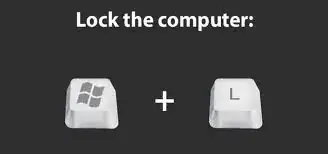
Often the biggest hurdle is that locking takes too much thought.

  • IT professionals often forget that most people have a lot of difficulty remembering where an option is, let alone a keyboard shortcut - and will, as a result, quickly give up when they perceive something as too difficult.

Print this as a sticker and stick it to the bottom of people's monitor:

Lock the computer: Press the Windows (Super) and "L" keys

Obviously you may need different versions if people are on different OSes, etc.

Mithical
  • 225
  • 1
  • 4
  • 10
fjw
  • 269
  • 1
  • 5
3

First I think you should explain to your team the importance why they need to do it. As mentioned in other answers, visitors seeing open browser tabs aren't the biggest risk, compromising your systems is much greater risk. Only if people understand why, implementing some of the suggested office games makes sense, to help them create the good habit of locking their screens.

There are also technical solutions. There are applications, such as BlueProximity that lock a screen once a user's BlueTooth device is further than some threshold. This could be either a phone, or if people don't carry their phones around, a BlueTooth beacon to keep in a pocket.

Petr
  • 167
  • 1
  • 1
  • 6
  • I tried blueproximity and it functioned well - but my 15 year old nokia's battery life dropped to only a week, but my android phone got barely three hours between charges. Not worth it, although its a cute solution – Criggie Nov 05 '15 at 09:19
  • 1
    You can do something similar with e.g. a work ID card. Card in slot -> terminal unlocked. Card removed, terminal locks. (Some hotels do something like this now). Works best in a building where you need to be wearing your card. – Sobrique Nov 06 '15 at 09:38
  • @Criggie, How long did their batteries last between charges before you installed blueproximity? – Stephan Branczyk Nov 09 '15 at 22:34
  • @StephanBranczyk roughly double, at the time. The nokia did 10-14 days, and the android phone did ~24 hours – Criggie Nov 09 '15 at 22:49
3

First offence

I usually just open Notepad (not email client or anything like that - I don't want to see that) and leave a polite reminder that they should lock their computer before leaving their desk in order to comply with the security policy, and then lock their computer for them so they have the note to see after they login again.

Later offences

If I encounter it a second or third time I will lockout their password so it needs to be reset (we have a small friendly team here so it's not a hassle).

Pretty quickly they learn that it's quick and easy to lock their machine and is less hassle than having to make a short phone call to unlock their account.

Lyall
  • 1,012
  • 2
  • 9
  • 20
  • Whether or not the "first offence" measure described here is only done for the first offence, or for all offences, this seems like a much more social reaction than the pranks described in other answers. There is really no need for stepping on one's co-workers' dignitiy by means of a public shaming scheme - the co-workers know they are supposed to lock their screen, they don't do it, when they return, they notice someone caught them, and that's it. It was the method used when I studied at the university, and it never took long for students to get used to always lock their screens. – O. R. Mapper Nov 05 '15 at 15:02
  • Exactly - leaving a friendly (but serious) reminder is far more likely to encourage them than a prank of some sort. It's also more likely to remind them that it is a business requirement rather than just a suggestion. Almost every workstation has access to multiple network drives containing client information, they need to know that if I can access their workstation and leave a note, anyone could access it and read their emails, browse their files, connect to network drives, download company sensitive information, anything! – Lyall Nov 05 '15 at 15:14
  • It's also important to note that whatever approach you take, you need to LOCK THEIR COMPUTER when you've finished afterwards. Otherwise it's pointless. – Lyall Nov 05 '15 at 15:15
  • Sure - I was running out of comment length, so I didn't mention locking the computer again. Note, though, that the messages left were indeed not as serious as you suggest here; rather something like: "I will not leave my computer unlocked." – O. R. Mapper Nov 05 '15 at 15:22
  • 1
    Well it often depends on the person too - there's no harm in making the message light hearted as long as they know there's a reason behind the message... :) For example if I'm leaving a note for the MD (which I've done before - NOBODY is above the security policy) then it is strictly formal. If it's for a daily co-worker then it's not so formal. – Lyall Nov 05 '15 at 15:30
2

Our company has a really effective way of stopping this. If someone from IT sees your computer unlocked, they will change your wallpaper or screensaver to something silly. This way everyone can tell that they left their computer unlocked once. So it's humorous while still providing some penalty. IT informs everyone of this on the first day of work so it's no surprise to whoever this happens to.

MDLNI
  • 557
  • 7
  • 16
2

A partial answer:

In one of my previous jobs, we were allowed to go on Facebook, reddit, or farmville, but we had to do it from a separate public Chrome Box workstation (a Chrome Box is just like a Chromebook, but in a desktop form). The same went for personal phone calls, there was a specific area for that. There was a clear separation between work and personal stuff.

Using a Chromebook/ChromeBox for that purpose was great. One could just login into his/her gmail account, and all the personal tabs one had set up from last time would just pop up. Or if one was in a hurry, one could just login using incognito mode and look up something super quickly.

The same went for night janitors and security guards. They were allowed to use those Chrome stations, but if they were caught using any other workstation, it would have been a serious security breach.

And please don't get me wrong, what I am suggesting is again only a partial answer to the original question. Good security comes with many layers. And this separation of personal vs. work is only one additional layer a company could use in addition to some of the other security measures already suggested as answers.

Stephan Branczyk
  • 58,781
  • 29
  • 128
  • 208
  • With everyone using a shared machine, an attacker will have a much easier time stealing credentials using key loggers since they only need to get access to one box. – Benjamin Hubbard Nov 04 '15 at 20:47
  • 1
    With physical access to the machine, yes, they could add a key logger, but they'd be getting personal credentials, not work credentials. And like I said, good security comes with several layers. Implementing only one security measure is not enough. – Stephan Branczyk Nov 05 '15 at 05:59
  • absolutely, one layer is not sufficient, usually the weakest link is the one sitting behind the keyboard, even with experienced competent people who should know better. – Kilisi Nov 09 '15 at 01:19
2

Set the password policy to a sane balance between security and the ability to memorize and type it quickly. If it is too complicated or people have to think what their current password is this week, they're tempted to leave the computer open. Consider biometric sensors on the keyboard, if people are comfortable with it.

Then remind the programmers that you have security policies for a good reason, and that they are paid to follow them.

o.m.
  • 3,168
  • 1
  • 13
  • 14
1

You and the company have to decide if this is a "serious" issue or not. If it isn't then the best you can do is ask and hope your developers show you some respect on this issue. I suppose you can downgrade their performance reviews for being repeat violators. That should convert a few of the non-conformists once they realize you are serious in your request and will follow through with consequences for not adhering.

If you believe this is a serious issue then you should treat it as such. Many companies consider this a security risk and treat it that way. In that regard, people whose terminals are discovered unlocked receive a "security violation" write-up. In companies which require "clearances", a few of these and your clearance will be revoked. Those type of companies are required to self-report, so it really isn't an option to not report the violation. This revoking of clearance usually would go hand in hand with being laid off because without the clearance there's not a lot of use for the person. If that sounds too extreme for your situation then simply disconnecting the person's computer from the network because of their blatant disregard for security and the vulnerability they create for network users would also go a long way in changing behavior.

One last thing, I have to laugh at how many of these posts recommend to do something to the "offender's" computer or impersonate that user. Most Security Policies strictly forbid doing any of these types of things and those acts are actually worse offenses than leaving the screen unlocked. So rather than have one relatively minor security violation, let's step it up and commit some far more serious security violations. What a great idea.

Dunk
  • 1,327
  • 9
  • 8