The Hibernate option is missing on my Windows 8.1 Pro Update 1 tablet. It's neither in the Settings Charm (Power menu) nor in the Desktop Win+X menu.
Hibernation itself is enabled with powercfg.exe /h on and it actually works if invoked manually via shutdown.exe /h.
There is no Hibernate option available in Control Panel:
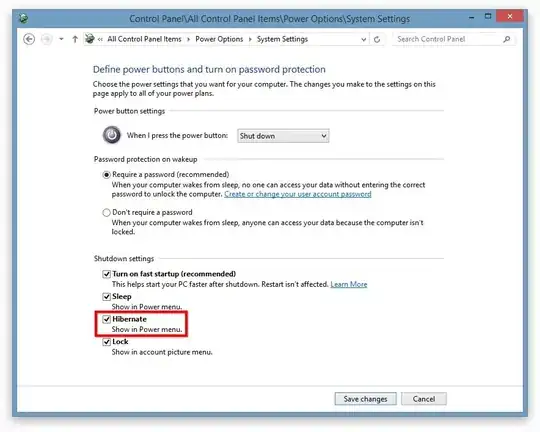
How do I get this option listed?

powercfg.exe /h ona replacement to http://www.tekrevue.com/tip/add-hibernation-option-windows-8-1-power-user-menu/ – ta.speot.is Jun 05 '14 at 07:52Powercfghas to be done first, then those UI manipulations. It my case, there's still no Hibernate option in that list in the Control Panel. – noseratio Jun 05 '14 at 07:54shutdown /h– phuclv Jun 05 '14 at 08:26