We have a flutter application
environment:
  sdk: ">=2.8.0 <3.0.0"
The latest Xcode and MacOS, running on Mac m1 air, Flutter version installed on the PC is 3.3.9
We didn't face any issues before migrating to ios organizations, but after migration, I can't sign the application via flutter build ios --release
†he error is
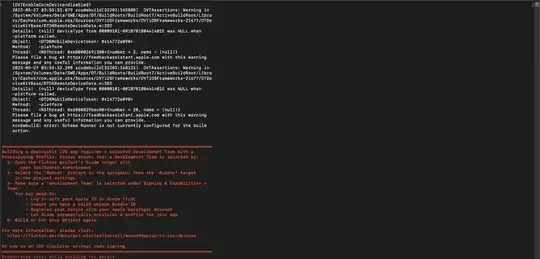
Failed to build iOS app
Error output from Xcode build:
↳
    2023-05-27 03:53:19.246 xcodebuild[32202:165759] DVTCoreDeviceEnabledState:
    DVTCoreDeviceEnabledState_Disabled set via user default
    (DVTEnableCoreDevice=disabled)
    2023-05-27 03:55:32.079 xcodebuild[32202:165808]  DVTAssertions: Warning in
    /System/Volumes/Data/SWE/Apps/DT/BuildRoots/BuildRoot7/ActiveBuildRoot/Libra
    ry/Caches/com.apple.xbs/Sources/DVTiOSFrameworks/DVTiOSFrameworks-21677/DTDe
    viceKitBase/DTDKRemoteDeviceData.m:382
    Details:  (null) deviceType from 00008101-001870180441401E was NULL when
    -platform called.
    Object:   <DTDKMobileDeviceToken: 0x14772e890>
    Method:   -platform
    Thread:   <NSThread: 0x600002691380>{number = 2, name = (null)}
    Please file a bug at https://feedbackassistant.apple.com with this warning
    message and any useful information you can provide.
    2023-05-27 03:55:32.208 xcodebuild[32202:168121]  DVTAssertions: Warning in
    /System/Volumes/Data/SWE/Apps/DT/BuildRoots/BuildRoot7/ActiveBuildRoot/Libra
    ry/Caches/com.apple.xbs/Sources/DVTiOSFrameworks/DVTiOSFrameworks-21677/DTDe
    viceKitBase/DTDKRemoteDeviceData.m:382
    Details:  (null) deviceType from 00008101-001870180441401E was NULL when
    -platform called.
    Object:   <DTDKMobileDeviceToken: 0x14772e890>
    Method:   -platform
    Thread:   <NSThread: 0x6000029bec80>{number = 20, name = (null)}
    Please file a bug at https://feedbackassistant.apple.com with this warning
    message and any useful information you can provide.
    xcodebuild: error: Scheme Runner is not currently configured for the build
    action.


════════════════════════════════════════════════════════════════════════════════
Building a deployable iOS app requires a selected Development Team with a
Provisioning Profile. Please ensure that a Development Team is selected by:
  1- Open the Flutter project's Xcode target with
       open ios/Runner.xcworkspace
  2- Select the 'Runner' project in the navigator then the 'Runner' target
     in the project settings
  3- Make sure a 'Development Team' is selected under Signing & Capabilities >
  Team.
     You may need to:
         - Log in with your Apple ID in Xcode first
         - Ensure you have a valid unique Bundle ID
         - Register your device with your Apple Developer Account
         - Let Xcode automatically provision a profile for your app
  4- Build or run your project again

For more information, please visit:
  https://flutter.dev/docs/get-started/install/macos#deploy-to-ios-devices

Or run on an iOS simulator without code signing
════════════════════════════════════════════════════════════════════════════════
Encountered error while building for device.
I have tried clearing the old key from Flutter cache, I added the signing settings to the podfile. I know how to release to ios, I've released around 10 previous versions. This issue started happening after migrating to the Apple organization account.
The certificates are automatically managed by apple. So In short, after migrating to an apple organization account, I get that error whenever I try to run flutter build ios --release