3

I have a a select box like this:

    <select class="form-control"
            ng-model="contactName"
            ng-change="testFun(contactName)"
            ng-options="contact.Id as contact.Name + ' ' + contact.Surname for contact in company.items.contacts"
            ng-selected="$scope.contactId === contact.Id">
    </select>

Where $scope.contactId = 14151 and contact.Id = 14151

But the select box is still not selecting the right person and remains to show up blank.

I can't figure out what I am doing wrong here.

EDIT

<select class="form-control" 
        ng-model="contactName"
        ng-change="testFun(contactName)"
        ng-options="contact.Id as contact.Name + ' ' + contact.Surname + ' id:' + contact.Id for contact in company.items.contacts"
        ng-selected="contactId == contact.Id">
 </select>
 <pre>
    contactId: {{contactId}}
 </pre>

Which results in the following, which also confirms that the ID's are the same:
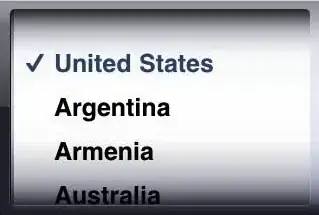
ContactId
Option with the same ID

The box is still coming up blank

Jason Aller
  • 3,541
  • 28
  • 38
  • 38
  • 1
    Can you confirm they're the same data type? === will not work for a string and a number even if they have the same value, whereas == will. Further to this - in your view `$scope` is implicit - you don't need to type this and doing so won't work unless your `$scope` has a `$scope` property. – UncleDave Aug 14 '17 at 13:49
  • Yeah try UncleDave's solution if it doesn't work try changing `ng-selected="$scope.contactId === contact.Id"` to `ng-selected="{{$scope.contactId == contact.Id}}"` – Dumisani Aug 14 '17 at 13:53
  • I have editted my post! but it still seems to come up as blank.. – Robert Vliek Aug 14 '17 at 14:21

2 Answers2

2

From the AngularJS docs:

Note: ngSelected does not interact with the select and ngModel directives, it only sets the selected attribute on the element. If you are using ngModel on the select, you should not use ngSelected on the options, as ngModel will set the select value and selected options.

That being said, you should use ng-init="contactName = contactId" as @Noman suggested, which initializes the contactName variabile with the contactId, selecting the correct option subsequently.

bamtheboozle
  • 5,847
  • 2
  • 17
  • 31
1

Use ng-init this will work . You can not use $scope inside html . Removing the $scope would work .

<select class="form-control"
        ng-model="contactName"
        ng-change="testFun(contactName)"
        ng-options="contact.Id as contact.Name + ' ' + contact.Surname for contact in company.items.contacts"
        ng-init="contactName = contactId" >
</select>

ngSelected does not work with ngOptions you must use ng-init instead.

Abdullah Al Noman
  • 2,817
  • 4
  • 20
  • 35