1

I try to include Google sign-in button in my android app by following steps:

1) Including the button:

<com.google.android.gms.common.SignInButton
    android:id="@+id/sign_in_button"
    android:layout_width="wrap_content"
    android:layout_height="wrap_content" />

2) Editing Top-level build file

classpath 'com.google.gms:google-services:1.5.0-beta2'

3) Editing App-level build file

apply plugin: 'com.google.gms.google-services'

Now I am getting error in button UI as

Blockquote The following classes could not be found: - com.google.android.gms.common.SignInButton (Fix Build Path, Create Class)

Please help me solve this issue!

Mike
  • 4,550
  • 4
  • 33
  • 47
Santhosh Kumar
  • 543
  • 8
  • 22

2 Answers2

2

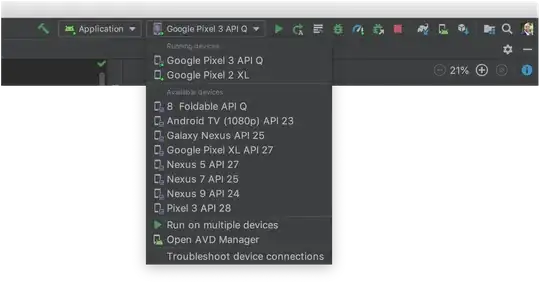
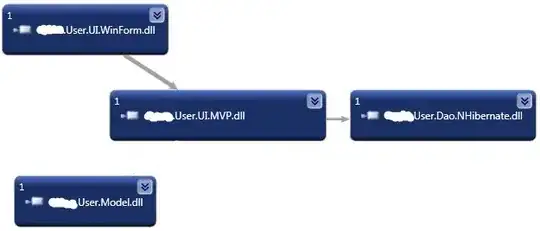
First of all we need to clarify that you should have 2 build.gradle files. One of them is a project-level file and the other one is an app-level Gradle file: gradle files
These files should look like this:

Project: StackOverlfow build.gradle:

buildscript {
    repositories {
        jcenter()
    }
    dependencies {
        classpath 'com.android.tools.build:gradle:1.1.0'
        classpath 'com.google.gms:google-services:1.5.0-beta2'

        // NOTE: Do not place your application dependencies here; they belong
        // in the individual module build.gradle files
    }
}

allprojects {
    repositories {
        jcenter()
    }
}

Module: app gradle file:

apply plugin: 'com.android.application'

android {
    compileSdkVersion 23
    buildToolsVersion "21.1.2"

    defaultConfig {
        applicationId "com.example.package"
        minSdkVersion 14
        targetSdkVersion 23
        versionCode 1
        versionName "1.0.0"
    }
    buildTypes {
        release {
            minifyEnabled false
            proguardFiles getDefaultProguardFile('proguard-android.txt'), 'proguard-rules.pro'
        }
    }
}

dependencies {
    compile fileTree(dir: 'libs', include: ['*.jar'])
    compile 'com.google.android.gms:play-services-auth:8.4.0'
}

If you don't have Google Play Services installed, please do the following:

  1. Go to Android Studio -> Preferences -> Appearance & Behaviour -> System Settings -> Android SDK. sdk manager

  2. You'll see on the bottom part a "Launch Standalone SDK Manager".
  3. Click that and you'll have the standalone SDK Manager window opened.
  4. Scroll all the way down to "Extras" pick "Google Play Services" and hit update. GPS
This will install the proper play services packages. Once done, go back to the Android Studio and re-sync your Gradle file.

Mike
  • 4,550
  • 4
  • 33
  • 47
  • Error:Execution failed for task ':app:processDebugGoogleServices'. > Please fix the version conflict either by updating the version of the google-services plugin (information about the latest version is available at https://bintray.com/android/android-tools/com.google.gms.google-services/) or updating the version of com.google.android.gms to 8.3.0. – Santhosh Kumar Jan 26 '16 at 20:21
  • It seems like you need to update Google Play Services from the SDK manager too. Go to Android Studio -> Preferences -> Appearance & Behaviour -> System Settings -> Android SDK. You'll see on the bottom part a "Launch Standalone SDK Manager". Click that and you'll have the standalone SDK Manager window opened. Scroll all the way down to "Extras" pick "Google Play Services" and hit update. – Mike Jan 26 '16 at 20:25
  • The plugin you use is wrong. Please revisit my answer's details and try that you have "apply plugin: 'com.google.gms.google-services'" where you have "apply plugin: 'com.android.application'" – Mike Jan 26 '16 at 20:31
  • Same Revision 29 only :( – Santhosh Kumar Jan 26 '16 at 20:31
  • I used both : apply plugin: 'com.android.application' apply plugin: 'com.google.gms.google-services' – Santhosh Kumar Jan 26 '16 at 20:32
  • Please check the updated answer. You should be good to go with this. – Mike Jan 26 '16 at 20:53
  • The 1.5beta2 build is what is giving him an issue here. He needs to use the 2.0alpha build of the gradle plugin – Shmuel Jan 26 '16 at 20:56
  • I just built a working example with 1.5beta2 and the setup I just added. Am I missing something? – Mike Jan 26 '16 at 20:59
  • That error he got "Error:Execution failed for task ':app:processDebugGoogleServices'. > Please fix the version conflict either by updating the version of the google-services plugin (information about the latest version is available at bintray.com/android/android-tools/…) or updating the version of com.google.android.gms to 8.3.0. –" is fixed by updating the gradle plugin. I don't know why your build works, I was just commenting that I faced the issue he has and fixed it in that manner. – Shmuel Jan 26 '16 at 21:02
  • i think Shmuel is right? I updated the code and it needs gradle 2.10 so i am downloading it now – Santhosh Kumar Jan 26 '16 at 21:30
  • Give it a try, sure! It might be the case, but like I said with the gradle setup I have in the answer, I managed to run an app and use the SignInButton – Mike Jan 26 '16 at 22:00
  • Now new error The following classes could not be instantiated: - com.google.android.gms.common.SignInButton – Santhosh Kumar Jan 27 '16 at 06:27
1

Take a look at my question over here - Android - Google Login and Play Services version incomptablity

You need:

classpath 'com.android.tools.build:gradle:2.0.0-alpha5'
classpath 'com.google.gms:google-services:2.0.0-alpha5'

and

compile 'com.google.android.gms:play-services-auth:8.4.0'

Also, Google's sample here was helpful to me https://github.com/googlesamples/google-services/blob/master/android/appinvites/app/build.gradle

Shmuel
  • 3,916
  • 2
  • 27
  • 45