My ec2 ubuntu instance has apache2 working on port 80 and tomcat working on 8080. I'm not able to access them from my browser, i checked the access.log for apache2 it doesn't show the request coming in.
My checklist :
AWS Security Group , all traffic inbound and outbound enabled.


Service is running.


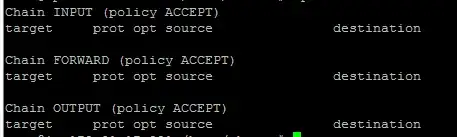
- iptables has no rules initialized.
No errors thrown by either of the services.
access log for apache2

I've even tried to telnet to my apache2 server.

The issue started when i added an .WAR package to tomcat

80or8080from different host, maybe it's your Windows firewall which doesn't allow you to connect to it? – kenorb May 30 '15 at 10:26nc -lp 8888 -v) to listen on8888, re-open this port with custom rule and check if that would work. Then re-test from other server, check your firewallsudo ufw status verbose, if still doesn't work, then disable your firewall (sudo service ufw stop) and re-try. If still doesn't work, maybe test different instance or contact Amazon Support that the added rule doesn't work properly. – kenorb May 30 '15 at 11:09nc) on different port? Does it print anything with firewall disabled? – kenorb May 30 '15 at 11:17