8

This question is related to this one.

I realise not all keyboards have the NumPad, but why do those who do have a NumPad have two sets of keys for numbers ( the numbers above the letters and below the F keys and then the NumPad numbers.)

My logic seems to think a second set would be redundant, that would be better to have either the NumPad or the number above the letters, but it seems all keyboards have numbers above the letters and then a certain amount have the NumPads numbers as well.

Jasper
  • 103
  • 2
Neil Meyer
  • 6,275
  • 9
  • 29
  • 44
  • 17
    Worth knowing that ten-key used to be taught, much like touch-typing courses, for accountancy, secretarial, and other professions. Like QWERTY typists, a trained ten-key operator relies on consistent key layout. This WikiHow shows the basics: https://www.wikihow.com/Ten-Key – Jim Nelson Aug 10 '20 at 17:08
  • I'll note that no all keyboards with a 10-key pad also have the numeric keys along top. A few compact keyboards (I'm thinking ca 1980) skipped the top row. – Hot Licks Aug 10 '20 at 21:55
  • @HotLicks There are occasionally present day enthusiasts who build keyboards with numpads but no number row. – 8bittree Aug 11 '20 at 14:21
  • 5
    The top row isn't just numbers. There's all those symbols above them as well: !@#$%^&*(). How else are we supposed to write cartoon swears? – Darrel Hoffman Aug 11 '20 at 15:40
  • 3
    @DarrelHoffman They want you to clean up your language. – Hot Licks Aug 11 '20 at 17:53
  • 5
    I can only assume you haven't spent a lot of time going back and forth between typing text that a has numbers and doing entirely numeric data entry. Don't take away either of my number entry mechanisms, I need both!! When you're touch typing, moving your hand to the keypad slows you down A LOT. When you are entering a large quantity of numbers into a spreadsheet, having to use the number row is SUPER slow. – Todd Wilcox Aug 12 '20 at 05:42
  • In non-numlock mode, the arrow keys are repeated too. – cup Aug 12 '20 at 07:16
  • It is so much easier to put numbers into calc with numpad buttons. – rus9384 Aug 12 '20 at 18:53
  • @rus9384: But I have spent literally decades working with computers without ever once having needed to enter numbers into calc :-) – jamesqf Aug 14 '20 at 00:27
  • @jamesqf, can be any other place too, like spreadsheets. – rus9384 Aug 14 '20 at 07:21
  • @rus9384: Or spreadsheets, really :-) The point is that some people use computers to do a lot of numeric entry, so for them it is worth learning to use that set of keys as the analog to an old mechanical calculator. Other people, of whom I'm one, do a lot more text editing, so it's easier to use those keys for cursor movement, and enter the occasional number with the typewriter style number keys. (Ever use old versions of e.g. vi, where cursor movement was by the typewriter keys? Talk about a pain...) – jamesqf Aug 15 '20 at 05:47
  • "My logic seems to think ..." indicates a seriously narrow view. It's good that you asked the question, but save the logic until knowing more facts. Also remember that adding the number pad costs money, and companies hate spending money, when they could cut it out and get the same functionality; your logic should have been: manufacturers are spending money on this, so there must be a good reason, but I can't think what it is. – RonJohn Mar 14 '21 at 05:15

6 Answers6

35

The two sets of numbers serve different purposes, and

I realise not all keyboards have the NumPad

is an important factor.

The main part of the keyboard is based on typewriters, and has to provide everything required for text entry, on its own. This means that it has to include digits (including 0 and 1, which many typewriters didn’t). Typists will tend to only use this part of the keyboard.

The numeric keypad is based on calculators, and is used for numeric data entry; imagine the sort of entry historically performed on printing calculators (as can be seen in Raffzahn’s answer to your previous question), e.g. for accounting purposes. This explains the layout, with larger + and Enter keys (and specifically Enter rather than Return), and sometimes even a 00 key.

Many computer users don’t need the numeric keypad, which is why it is optional in practice; but everyone needs the digit keys in the main section, at least some of the time. On the other hand, users who need the numeric keypad do benefit from its specific layout, and can’t use the digit keys in the main section to the same effect.

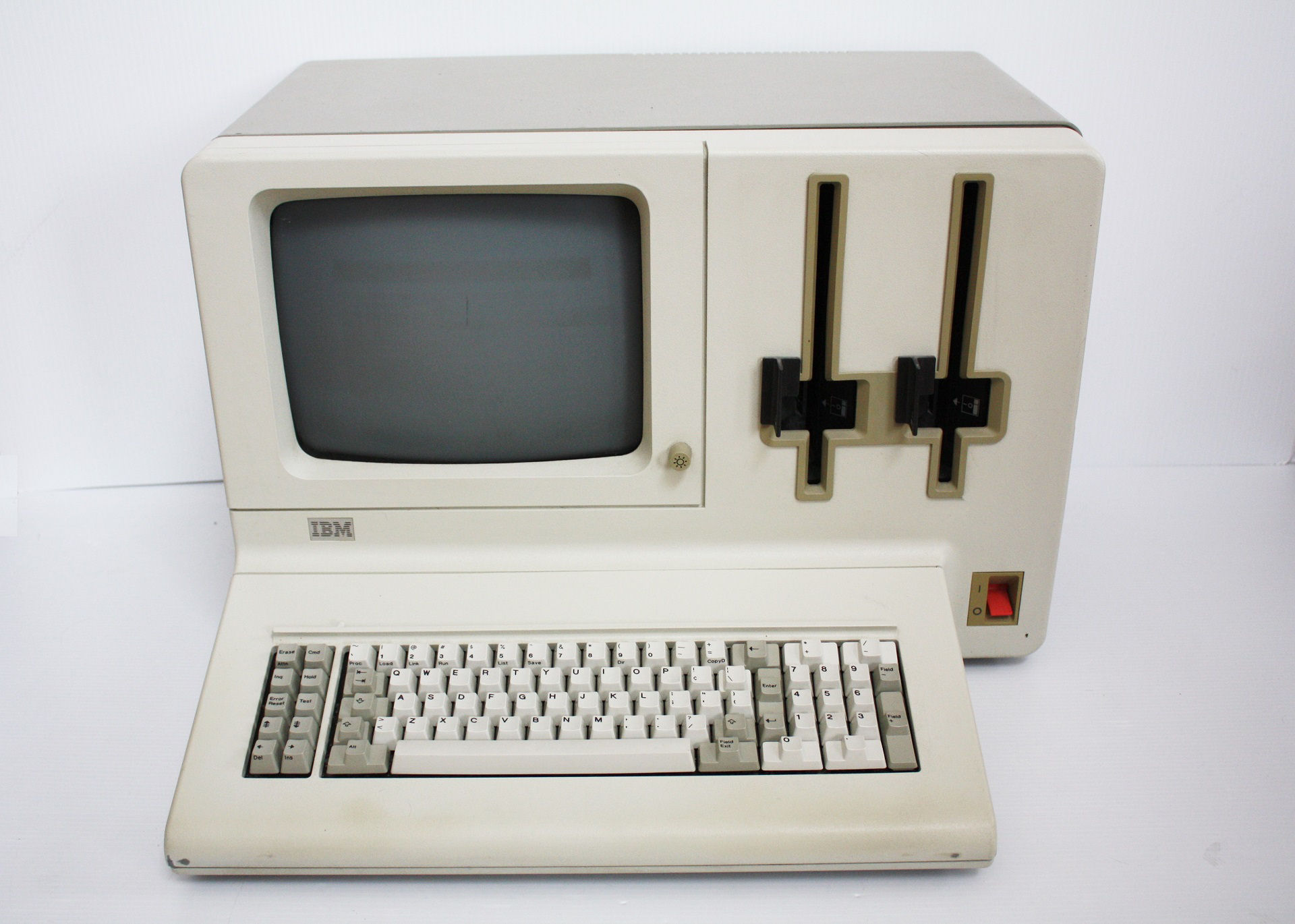
Historically, early keyboards were re-purposed typewriters, with no numeric keypad. As the applications of computers expanded, along with the development of interactive uses and the associated input and output devices, keys were added to keyboards, leading to some famous examples which have been discussed here previously. Some early keyboards had pads to the right with function keys; see for example the Sanders 720 in 1969. One of the earliest keyboards with duplicated number keys, with one set in a separate keypad on the right, was used in the Datapoint 3300 terminal, released in 1969. The numeric keypad there was called an “adding machine format keyboard”, and the manual says

For those accustomed to using adding machines, or when large amounts of numerical data is to be entered into the computer, the adding machine format keys are especially useful.

Stephen Kitt
  • 121,835
  • 17
  • 505
  • 462
  • Ok, so generally keyboard layouts put typewriting concerns above calculators concerns? Who or what exactly decided this? – Neil Meyer Aug 10 '20 at 09:23
  • True. The core point is that both keyboards are meant for different use cases. The main keyboard is about generic typing/text, while the numeric is an optimized version for numeric entry (which BTW includes as well switching . with ,, depending on region/language). – Raffzahn Aug 10 '20 at 09:25
  • 2
    @NeilMeyer "Who or what exactly decided this? " Time, sales and typing schools. Today's QWERTY ordering goes back to the 1870 when Sholes made his typewriter. At the time it was only one of many layouts. It became a boost due Remington licencing it and mass producing that typewriter. But it took about 50 years (1920s) for QWERTY and related European layouts (QWERTZ, AZERTY) to become the default. – Raffzahn Aug 10 '20 at 09:34
  • In terms of computer keyboards, what decided this was largely how computer input devices were built: for character input (as opposed to keypunches etc.), typewriter keyboards were used at first. Numeric keypads, for direct input purposes, were added quite a bit later. It took a long time for direct entry of numbers on a computer terminal to be useful as a dedicated activity (as opposed to punching values onto paper cards). – Stephen Kitt Aug 10 '20 at 09:46
  • 6
    re Who or what exactly decided this? the adoption of existing devices for use with computers -- teletypes, flexowriters, IBM selectrics. – dave Aug 10 '20 at 12:14
  • "Many computer users don’t need the numeric keypad, which is why it is optional in practice; [...]" <-- I slightly disagree with this: typing in a french AZERTY keyboard without a numeric keypad is the most horrible thing you can imagine. On all the PCs I've seen, you have to hold SHIFT + number. If you forget it, you will just type gibberish. Having the numeric keypad, in this case, is essential (to me, and the clients I've seen). – Ismael Miguel Aug 11 '20 at 08:46
  • 1
    @IsmaelMiguel guess what keyboard layout I use ;-). I learnt to touch-type on AZERTY, holding Shift down as appropriate with my left pinky is automatic. However, even if all AZERTY users relied on the numeric keypad, the statement that “many computer users don’t need the numeric keypad” would remain true — AZERTY is used by a minority of keyboard users around the world. – Stephen Kitt Aug 11 '20 at 08:51
  • @StephenKitt ... I have no words for that ... That's just pure torture. How? I can't do it! My Brian can't grasp the concept. All the French clients I've had said they prefer the numeric keypad, as it is essential for them. (They are usually above 40 years old, so, that may be an important factor?) ... I don't know ... That's just insane to me... – Ismael Miguel Aug 11 '20 at 09:02
  • @IsmaelMiguel heh, you’re not the first person to react like that ;-). I’m over 40, I don’t know how important a factor that is. I know plenty of developers who use AZERTY, but most of my colleagues in France favour QWERTY — not for the digits primarily, but for brackets, braces, backslash etc. I’m just a counter-example! – Stephen Kitt Aug 11 '20 at 09:24
  • @StephenKitt I believe that you being a developer has a huge influence on that. All the clients I've had aren't developers, and only started using computers on the last 10 years or so. You are a big counter-example on this. I'm not worried about AZERTY vs. QWERTY. That takes less than 5 minutes to get used to. But the lack of a numeric keypad on a French keyboard? Wow ... – Ismael Miguel Aug 11 '20 at 10:11
15

I realise not all keyboards have the NumPad, but why do those who do have a NumPad have two sets of keys for numbers?

Well, it wouldn't be a numeric keypad if it didn't have numbers.

The answer is surely "because it is exceedingly useful".

I'm a programmer; I don't use the numeric keypad for numerics in programming, when I'm typing "all characters". I'm expecting standard typewriter layout when I'm doing that.

But I do use the keypad when working primarily with numbers -- e.g., in calculator programs, personal-finance programs, and (oddly) when entering numeric codes from two-factor-authentication text messages.

The usefulness appears to stem from the fact that I can type all digits with one hand, freeing the other up for holding whatever I'm reading from (bank statement, phone, whatever).

So why not just have the numeric keypad? The answer is, it costs nothing to retain the top-row digits even though you've added more keys. You can't usefully use those shifted key positions for anything else: you'd end up with a non-standard layout that no-one would want.

I see no downside to having two sets of digits. I wouldn't buy a keyboard that didn't have a numeric keypad.

(Laptops are an exception due to size).

My experience with numeric keypads separate from the main typing array goes back to the 1977 DEC VT52, though I admit that there I mostly used it in "alternate keypad mode", for text editor commands.

Cody Gray - on strike
  • 1,554
  • 14
  • 21
dave
  • 35,301
  • 3
  • 80
  • 160
  • But it isn't "exceedingly useful". I've been on one day-in day-out for decades and never used the numeric keyboard. I can't think when I've seen someone else using them, be they engineers or number-intensive users like finance people, and I've seen a lot of users. I'd hazard that the keyboard width is a little forced by the function keys, which were formerly in a leftmost two columns but now stretch across the keyboard but mostly by the perception of added value and the very low price of keyboards for what they are (£5 readily, three quid or much less if you hunt even a little). (cont'd) – TonyM Aug 10 '20 at 13:35
  • (cont'd) People have adopted this keyboard layout standard and work faster on something simple and familiar, an easy shape for hand access. I imagine it's of a comfortable size to most and stable with it. But the numeric keypad has not remained on merit, because of its usefulness. Removing it might save 10p's while making it unfamiliar to all those moving users. That view may well change in the future but that's how I'd say the past went about it. – TonyM Aug 10 '20 at 13:42
  • 5
    @TonyM I'd argue that if you're typing long strings of primarily numbers, a one-handed numpad layout is more comfortable than the top number row which requires both hands and shifting the hand position (unless you have exceedingly long thumbs). It also places keys which are often used with numbers, such as + or Enter, in better positions. So there's certainly merit to the layout that goes beyond familiarity (which shouldn't be discounted either). – Maciej Stachowski Aug 10 '20 at 14:04
  • We can make up what it could be good for, @MaciejStachowski, but that wasn't my point :-) It was: "But it isn't "exceedingly useful". I've been on one day-in day-out for decades and never used the numeric keyboard. I can't think when I've seen someone else using them, be they engineers or number-intensive users like finance people, and I've seen a lot of users." – TonyM Aug 10 '20 at 14:39
  • 5
    @TonyM It depends on the user. Whenever I want to enter a bunch of numbers into a spreadsheet, I always switch to the numeric keypad. In fact, I always leave NumLock on and work column-wise for exactly that reason... so I minimize the chance of having to use keys outside the numeric keypad. – ssokolow Aug 10 '20 at 14:51
  • 1
    Well, a number pad may not be "exceedingly useful", but they are very handy for calculations. I can't imagine having to hit shift every time I wanted to add or multiply - and having all the operators together is a plus too. I also use the number pad when typing my pin in to login. But if you never use the number pad, why not just get a keyboard without a number pad, I have one of those as well, and it is handy if you are space constrained. – Glen Yates Aug 10 '20 at 15:46
  • 1
    @TonyM - Clearly you did not learn to touch type well, if at all. If mixing text and numbers, a good touch typist doesn't have to move a hand over to the number pad but can just keep on typing. The number pad is for dedicated number-focused work (Excel data entry for example). – Jon Custer Aug 10 '20 at 16:11
  • 1
    @JonCuster, dunno where the 'clearly you can't touch type' pop at me came from. Nothing's clear except "I can't think when I've seen someone else using them, be they engineers or number-intensive users like finance people, and I've seen a lot of users" over decades. I therefore can't call the number pad "exceedingly useful" to the mass populace. It's a reasonable enough observation. – TonyM Aug 10 '20 at 17:18
  • 1
    @TonyM - well, if you did learn how to touch type properly (perhaps only in the old days), getting to those numbers above the letters on the keyboard is a very simple thing to do, at speed, while typing all the letters as well. No need to move your hands from the normal typing position. The number pad is great for focused numeric entry, but moving back and forth is painfully slow. Mixed letter-number entry (as is often the case for programming) is by far easier using the upper number row if you are a good typist. – Jon Custer Aug 10 '20 at 17:24
  • @GlenYates, as you say, they're handy for some users but far from "exceedingly useful", which is where I came in :-) I'm not campaigning for any changes. I'm fine with normal keyboards, as are most of the millions of users who never touch SCROLL LOCK or RIGHT-CTRL. There's plenty of functions in my car I don't use, don't mind them either. – TonyM Aug 10 '20 at 17:24
  • @JonCuster, I'm afraid you've missed my point: it's not you or me, it's what umpteen-million users actually do with them that count and I've seen none that do. On that note, rest easy and we're commented out here... – TonyM Aug 10 '20 at 17:28
  • 5
    @TonyM The number pad is "exceedingly useful" for number entry. It's more compact and allows for rapid single-handed entry of large amounts of numerical data with minimal travel distance. Just because you've never seen anyone use it doesn't mean it isn't so; you surely have not seen a statistically significant percentage of the population, and nothing says those people were using their keyboards in the most efficient manner. People do what they're used to, and if they never learned to use the number pad they would be very unlikely to switch to it without some prompting, no matter how useful. – Herohtar Aug 10 '20 at 18:37
  • @TonyM - No harm intended, just an old perspective on typing. Many moons ago I took a typing course. Since one would not fit my normal high school schedule, I instead took it at night school. A big room with about 30 IBM Selectrics. The class was full. I am sure that I am the only person in that class (or any typing class at my HS) who went on to get a PhD. And I was probably the worst typist of all of them. But, I also believe that those 29 other folks in the class have probably typed more into a computer than I have, and faster and more accurately too. Best course I took in HS. – Jon Custer Aug 10 '20 at 18:44
  • 2
    @TonyM I use the numberpad all the time when I have to enter in a bunch of numbers into a spreadsheet as did others when I was in university back in 2000s. I imagine accountants use it a lot. – DKNguyen Aug 10 '20 at 18:55
  • re I'd hazard that the keyboard width is a little forced by the function keys The venerable DEC VT52 had an auxiliary keypad, which was what we'd now call a numeric keypad. It had two operational modes, where digits were digits or else were coded sequences. There was no PC-style row of function keys. The auxiliary keypad was there because it was useful. – dave Aug 10 '20 at 19:03
  • @TonyM The numeric keyboard is also often used in games. I regularly have keybinds there that must be accessible, but not so fast that they can't be accessible without the mouse. Emotes come to mind.In fact, gaming keyboards often include even more additional keys that can be mapped, like the G-keys from Logitech. Heck, its not uncommon to see mouses with keyboards that closely resemble numpads like the G600, Utech Smart or Scimitar Pro. – Polygnome Aug 10 '20 at 19:07
  • There is actually a downside to the number pad - at least if you use a mouse with your right hand. Look at the angle your wrist takes if the home keys are centred in front of you, compared to moved left by the width of the numpad (especially on modern keyboards with a numpad and a set of cursor keys etc. There are also use cases for compact keyboards - and these days for separate USB numpads – Chris H Aug 10 '20 at 19:28
  • @TonyM, If I have to type more than one or two numbers in a row I always head over to the numeric keypad. I guess it depends why you type, most of my typing is programming, and while I do know how to touch-type, I find it's a less useful skill while trying to program because accuracy is much more important than speed. – Ron Jensen Aug 10 '20 at 20:12
  • I've sparked of a wide variety of interesting experiences in a lot of people. My own, as said at the start, is that I can't ever recall seeing other users typing on them, over a few decades, surrounded by a lot of departments in a lot of different companies (25+). It's still subjective, naturally, it's just my particular experience. But for me, my experience scrubbed the notion that it's exceedingly useful - that it exceeds usefulness - or anything remotely like it. It's always just been handy if you want it and good for games. On that note, stay safe everyone, wherever you are in the world... – TonyM Aug 10 '20 at 20:39
  • @TonyM Another point to consider: in the early days of computing, entering numeric data from paper sources was more common. The data was likely written on paper forms by hand. As computers became more ubiquitous, the need for manual data entry lessened, since the data was likely to already be available in machine readable form. Forty years ago I use the numeric pad a lot more than I do these days. – Stephen C. Steel Aug 10 '20 at 20:51
  • @TonyM that it exceeds usefulness - that's not really what exceedingly means. It's just an intensifier, and that is how I used it. I can say "very useful" if you'd prefer. – dave Aug 10 '20 at 22:36
  • 'Sometimes' or 'occasionally' useful would be about it. Not 'extremely', as exceedingly means. – TonyM Aug 10 '20 at 23:19
  • @TonyM Well, back in the time when using terminals, I did use both. When typing (program) lines I used the numbers of the main set, while for commands and alike I took the keypad. After all, something like ca3,8 (copy line 3 after line 8) it was quite smooth to type ca with my left hand while continuing for 3,8 with my right on the numpad. Left was also used for the cursor block (12 keys) between main and num. After all, that Keyboard had 6 sections: F-key block to the left, Command keys above the main field, a cursor block to the right, edit keys above and numkeys to the far right :)) – Raffzahn Aug 11 '20 at 00:03
  • Comments are not for extended discussion; this conversation has been moved to chat. – Matt Lacey Aug 11 '20 at 02:57
5

... that it would be better to have either the NumPad or the numbers above the letters...

At least some of us like using the NumPad for numerical entry, so we prefer keyboards that have one. You are asking why keyboards marketed at us still have the upper numerical row. I'd say it's because you can't easily remove those keys - even if the numbers aren't needed, where do you put the symbols?

One could scatter them around accessed by an extra "shift" key (like Fn on laptops) but then I'd have different keyboard layouts in different rooms, driving me nuts every time I needed a '%' or ')'.

People who don't use the NumPad can buy a keyboard without one. People who do can buy a keyboard with one, and (as it still also has that upper row) it's still usable by everyone.

Lou Knee
  • 261
  • 1
  • 5
  • Typing keys on the top row of Commodore's PET without shift would yield !"#$%&'(); typing numerals required using the numeric keypad. – supercat Aug 12 '20 at 16:40
  • 2
    @supercat: Exactly: and where's the Commodore PET now? ;) – Lou Knee Aug 12 '20 at 16:45
  • Serious response: Exactly - the keyboard manufacturer can't save money by omitting the physical keys, so they may as well label them up so that the product is as widely usable as possible (in today's marketplace). – Lou Knee Aug 12 '20 at 16:58
3

There is a fairly obvious answer: to a lot of people (non-accountants, basically) it is NOT a NumPad, it is a cursor control pad. If you look closely, you will see that the keys are labeled with arrows, PgUp, PgDn, and so on. This is not an accident.

I've been using the now-standard 101/102 key keyboards since they were introduced, but I don't think I have EVER intentionally used that "NumPad" to enter numbers. In fact, within X I've disabled NumLock (and CapsLock).

Perhaps a better question would be why keyboards duplicate the cursor movement keys, while placing them awkwardly so they're difficult to use correctly.

jamesqf
  • 51
  • 1
  • You're talking about one specific computer, don't you? – Raffzahn Aug 11 '20 at 11:54
  • 1
    @Raffzahn: No, I'm talking about the many different computers that use the now-standard 101/102 key format - which I would guess to be at least 80-90% of all keyboards today. (Excluding laptops - but there's a reason I mostly use my laptop in a dock, or with a standard keyboard in a USB port.) IIRC (it has been a long time) a number of non-PC keyboards used the same cursor key pad, for instance the ones used with IBM 3270? mainframes. – jamesqf Aug 11 '20 at 15:12
  • 3
    I have had the exact opposite experience, I am used to computers where the numeric keypad is always a NUMERIC keypad, and find it exceedingly aggravating when I am using one particular OS that doesn't follow this paradigm. I think I am typing numbers in, only to find that I have been sending various up, down, home, left, right, … combinations. I mean if I wanted to use arrow keys, I would use the clearly marked arrow keys that are just to the left of the keypad. – Glen Yates Aug 11 '20 at 15:40
  • 1
    @jamesqf Erm, so far it seams as if you're just talking about the IBM-PC and it's follow up, as this was the one that introduced the dual usage of the numeric keypad as cursor keys as you describe it. The 101/102 key format is the IBM-PC keyboard. There were many others before (and after). – Raffzahn Aug 11 '20 at 17:07
  • @Raffzahn: But my understanding is that the question is why those other keyboard designs have mostly disappeared. And as I said, I remember the prior-to-PC IBM mainframe keyboards as having pretty much the same cursor keypad layout. Don't recall whether they could be shifted to numeric entry, since I never had occasion to do that. – jamesqf Aug 12 '20 at 03:41
  • @Glen Yates: Why would I use those keys, when they're laid out in a fashion that makes using them very difficult? Whereas the rectangular cursor pad is logically laid out, so that I can use it (and Alt & Ctl combinations) without thought, as my primary means of navigation? But now perhaps you see the point of having a set of keys that can be either numbers or movement, to support two different sorts of users? And any well-designed OS should be able to lock the pad into either mode, should you want. – jamesqf Aug 12 '20 at 03:52
  • @jamesqf Not sure how you read that. To me the question asks why there are num pads and a row of numbers in general, not for a specific computer or keyboard. The IBM keyboard is just one of many. Not just mainframe. Check Stephen's references. The PC kbd is the Datamaster's in a detachable case which itself ist modelled after the 5251 terminal. Both do have a numpad, but no cursor functions thereon. These are located to the left where the PC had it's function keys. Dual use was introduced with the IBM-PC to get function keys. – Raffzahn Aug 12 '20 at 09:20
  • @GlenYates: "One particular OS": FWIW being able to use the keypad for navigation is pretty standard on OSs that run on PC-style hardware: DOS did it; Windows does it; Linux does it (both in console & X); from memory other OSs I've tried do it too. – psmears Aug 12 '20 at 14:03
  • @psmears and jamesqf, you seem to be coming at this from a very IBM PC DOS/Windows centric worldview - that is not the thrust of this community. And in fact represents only a small minority of the computers/OSes of interest on this site. – Glen Yates Aug 12 '20 at 14:17
  • @GlenYates: What makes you say that?! – psmears Aug 12 '20 at 14:18
  • @Glen Yates: So what exactly do you want to know? Of course lots of different keyboard designs were tried. Most of them are, if not actually forgotten, available only in thrift stores and estate sales. The benefits of the now-standard layout seem obvious: it provided numbers (along the top row) and cursor movement for programmers &c, plus it could be shifted (NumLock) to work as a 10-key numeric entry device (indeed, emulating an adding machine, with the +-*/ keys) for accountants and data entry people. – jamesqf Aug 12 '20 at 23:27
  • @Raffzahn: If you stop thinking of it as primarily a "NumPad", and instead as cursor movement, then consider that the PC keyboard designers were probably influenced by the IBM terminal keyboards of the time (which IIRC did have just such a cursor pad) then perhaps the historical reasons become clearer. (Another design element that seems a direct copy of the IBM terrminal keyboards is the row of 12 function keys above the numeric row. (10 on the left for the original PC, IIRC.) I remember other keyboards of the day having at most 4 function keys. – jamesqf Aug 12 '20 at 23:31
  • @jamesqf Please simply klick on the link provided above and you'll see the layout the PC came from - with a numpad right of the main section. Cursor keys were extra (and to the left). It was the IBM-PC that put them into one block. Last but not least, other terminals/computers had not '4 keys at most', but anything up to 20 (!) function keys. Of course it would be helpful if you could back up your claims as well... – Raffzahn Aug 12 '20 at 23:45
  • @jamesqf "So what exactly do you want to know?" Nothing, I was only pointing out that you seem to think that the IBM PC keyboard layout is the only current layout - this is simply not true. My current keyboard on my current computer has a number pad with no arrows printed on it, when my computer starts up and I type on the number pad, I get numbers by default, which is what I am used to and expect. In fact the key where you would expect to find Num Lock is labeled Clear on my keyboard, which makes numeric entry very easy as I don't have to move my hand to delete an erroneous entry. – Glen Yates Aug 13 '20 at 16:23
  • @ Raffzahn: That is nothing that I ever saw from IBM. I am thinking of the one my CS prof had in IIRC '83 or thereabouts (and which I had a year or two later): http://www.digibarn.com/stories/ibm-pc-25/erik-klein-photos/index.html – jamesqf Aug 14 '20 at 00:14
  • @Glen Yates: Did I say that the current 102 key design was the only one that has been tried over the years? As I read the question, the OP is asking why THIS keyboard is designed as it is, not about other designs. Your keyboard suits you, but would be very hard for me to work with. The standard 102/102/whatever keyboard can be configured to serve both of us, hence increased utility, which means that it's a standard commodity thing and I can buy an one for $7.49 at WalMart. – jamesqf Aug 14 '20 at 00:38
1

While not a better answer per se, the others have excluded what I consider a key(get it?) point. The number pad also doubled as a cursor movement input prior to arrow keys being commonplace(on IBM-PC). I've had trouble finding a good reference, but this link at least mentions it:

In the early days, keyboards didn’t have dedicated arrow keys so the number pad keys doubled in function. You could use it to enter numbers, and you could use the arrow keys to move your cursor. The number pad seemed like a good place to put the keys too since it was easy to use and it didn’t interfere with the letter keys.

And

Keyboards have changed quite a bit but you’ll be surprised to know that a certain aspect of it dates back to when a computer was used exclusively through the terminal and GUI, as a concept, didn’t exist. This is the number pad with its home, end, and arrow key buttons. To be precise, it’s the arrow keys on a number pad. The other keys, i.e., Home, End, Pgup, and Pgdn are included to make it more functional.

As pointed out by @Raffzhan and @EuroMicelli this is relevant because most modern keyboards derived from the IBM-PC, but many alternative keyboards existed with various configurations and arrow keys outside the number pad/as their own section of the keyboard. The Wikipedia article on Arrow Keys actually has a decent overview on some other combinations as outlined by EuroMicelli, but nothing as early, and relevant to this conversation, as @Raffzahn's link to the DataPoint 3300

TCooper
  • 111
  • 4
  • 1
    You're aware that this is only to specific to the IBM-PC? Other computers before the IBM-PC had dedicated cursor keys. And terminals had them already before them, as early as back in the 1960s, like the Datapoint 3300. – Raffzahn Aug 10 '20 at 23:54
  • 2
    I wasn't, it's just what I was familiar with and ignorantly assumed it was that way across the industry. Thanks for the extra details, I'll incorporate them. – TCooper Aug 11 '20 at 00:07
  • Welcome to Retrocomputing! This is very relevant, but keep in mind it’s true in reference to the original IBM PC, indeed critical because the vast majority of modern keyboard layouts derive directly from it. However many other microcomputers before and after often had no numeric keypads at all, and had either only dedicated cursor keys, cursor keys overlaid on keys other than numeric keypad, or no cursor keys at all. E.g. WordStar, a very popular ‘80s word processor, ran on many machines and implemented it’s own custom “cursor” key combinations in case your computer didn’t have cursor keys) – Euro Micelli Aug 11 '20 at 00:11
  • I think it would be more correct to say that the cursor keypad could double as numeric keys, at least on PC keyboards and their predecessors. Cursor movement was the primary purpose. – jamesqf Aug 11 '20 at 15:15
  • 1
    @jamesqf This may only be correct for one specific type of computer, as other computers with a similar looking layout, have as their primary purpose the keypad being for numeric entry as evidenced by there being only numbers printed on them (no arrows, etc) and the OS defaulting to these keys being number keys. – Glen Yates Aug 11 '20 at 16:19
  • On the aforementioned and sainted VT52, the aux keypad generates digits unless the keypad is in "alternate keypad mode". The terminology clearly indicates the primary intent was numeric. – dave Aug 11 '20 at 22:10
  • @Glen Yates: The question (which is what I think the OP was asking) then becomes why those other keyboard designs fell out of widespread use. I don't clearly recall the keyboards used in the computer labs at school - probably mostly DEC//VTnn) but the IBM mainframe terminal keyboards at my first job had cursor keys similar to the PC, which was just coming in at the time. – jamesqf Aug 12 '20 at 03:36
-1

A touch typist will prefer the typewriter number keys for all but long strings of digits.

A touch typist can type the number keys that are above the letters without looking, pretty quickly, and without moving the hands from the home position. Although using the numeric keypad for digits is faster, it takes so long to move the right hand from the home row to the numeric keypad, and then back again once the digits are typed, that it takes a very long string of digits to make the cost of using the keypad worth it.

Having to look to direct the hand is another cost of using the numeric keypad. A touch typist can keep the eyes on the screen, on the work, where mistakes can be spotted and corrected quickly.

Wayne Conrad
  • 2,706
  • 17
  • 25
  • I'm curious about the downvote. Have I explained myself poorly, or am I just wrong? – Wayne Conrad Aug 13 '20 at 14:02
  • Presumably there are some data entry types who disagree about the number keys being faster. But as I said, they aren't the only computer users, and for many of us those keys are for cursor movement. – jamesqf Aug 14 '20 at 00:25