3

I have about 10 images of plates I am taking for posting on Ebay. The concave bottoms focus more light back at the camera giving a little more blown out area (see example). My grandmother, who is selling the plates wants the colors balanced instead of writing a note as to why this is happening. I tried using Gimp to dodge/burn the lighter areas and while it was kind of working it didn't give a consistent effect. I tried making a circular mask to dodge/burn but certain areas are brighter than others and so it wasn't working nearly as well as I hoped. How do I fix this? My options are:

A: Adjust the lighting being used (we were using light coming through a window and a reading light aimed at the ceiling) and/or

B: Some method of editing in Gimp I have yet to figure out that will let me make the correct adjustments.

Plate

mattdm
  • 143,140
  • 52
  • 417
  • 741
traisjames
  • 139
  • 5
  • I think the issue is reflection from the light at the window. Please try the same shot with the window blocked or at night and then compare. – chili555 May 24 '15 at 13:22

2 Answers2

2

Usually a polarizing filter on the lens is enough, and if it is not, you can apply Krylon Dulling Spray http://www.krylon.com/products/dulling-spray/ http://www.amazon.com/Krylon-K1310-11-Ounce-Dulling-Spray/dp/B00009R8O6 or something similar. The spray is easily removed after. Important limitation is that dulling sprays can't be applied if humidity is higher than 85%, see the directions on the can.

Iliah Borg
  • 2,031
  • 10
  • 13
0

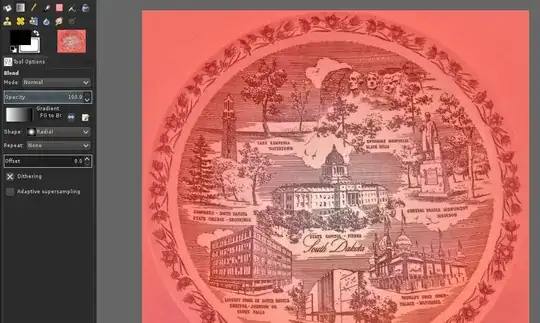
I applied a radial gradient to the quick-mask in Gimp like this:

screenshot of quickmask

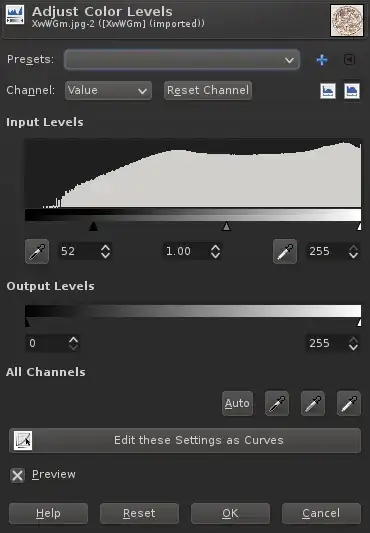
...then adjusted the black point in levels:

screenshot of levels dialog

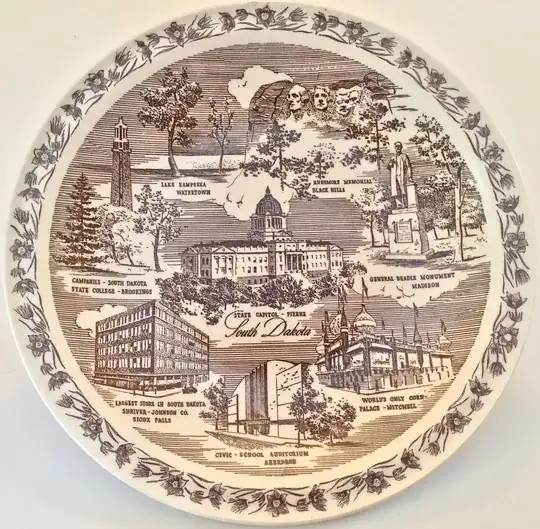
...with this result:

enter image description here

There is still inconsistency, as you described, but I can't tell if it's from lighting, or discoloration on the actual plate. You could probably do better if you took the time to create a custom gradient that closely matched the light fall-off on the plate.

junkyardsparkle
  • 5,404
  • 16
  • 29