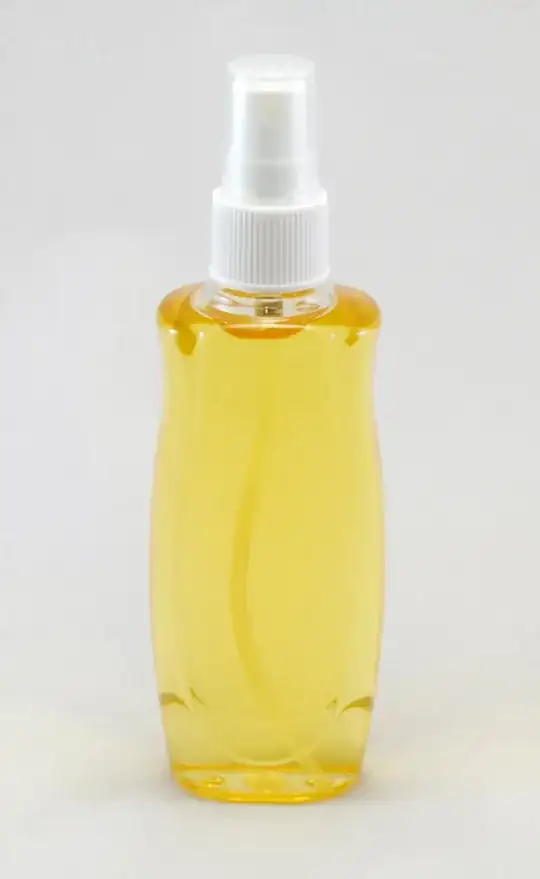
I'm having real trouble taking professional looking photos of a product. I purchased a light-box and I am using my Nikon D40 but the results are just don't seem good enough.
I've also attempted to resolve the issue in Photoshop CS6 by cutting the background out but the magic wand tool just isn't working well and keeps selecting some parts of the bottle..
Image here:
This is what my setup looks like: (there is a light at the top too which has been cut out in the photo)
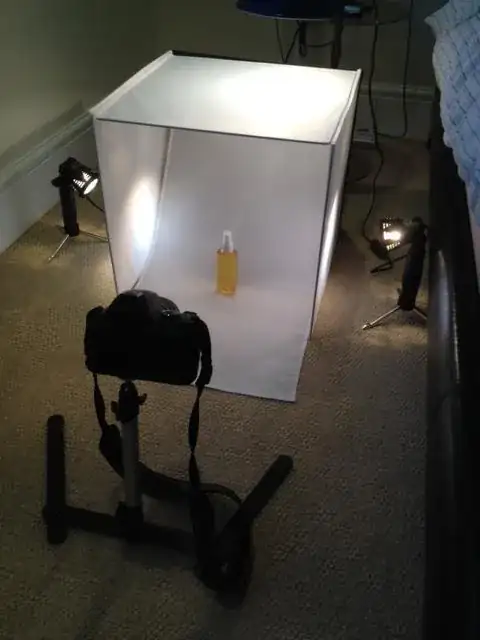


I set the white balance by taking a photo of the inside of the tent without a product. The ISO is set to 100, and I increased the shutter speed so it takes about 1.5 seconds and makes the background look very white (on the camera's display at least!). On the camera it says 3".
Not quite sure about the exposure!!
– JamesBriggs Jul 10 '13 at 06:19