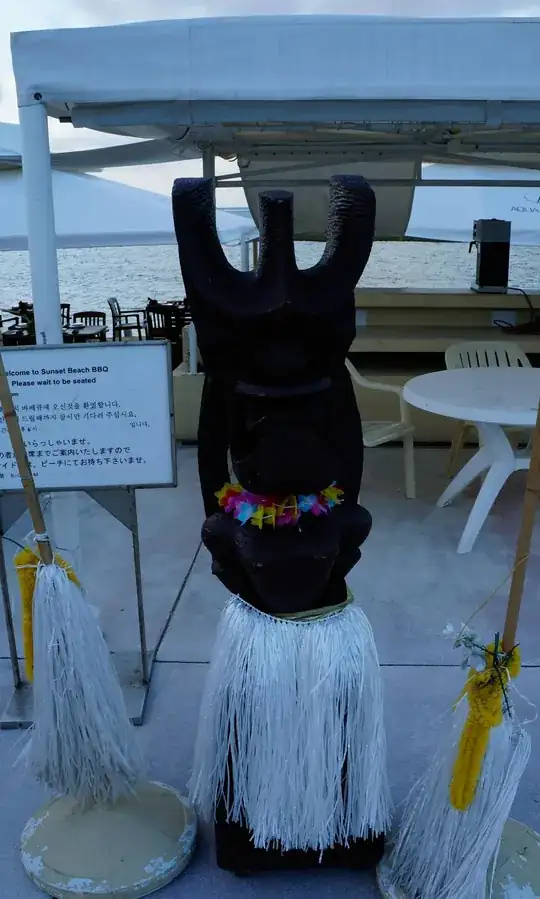
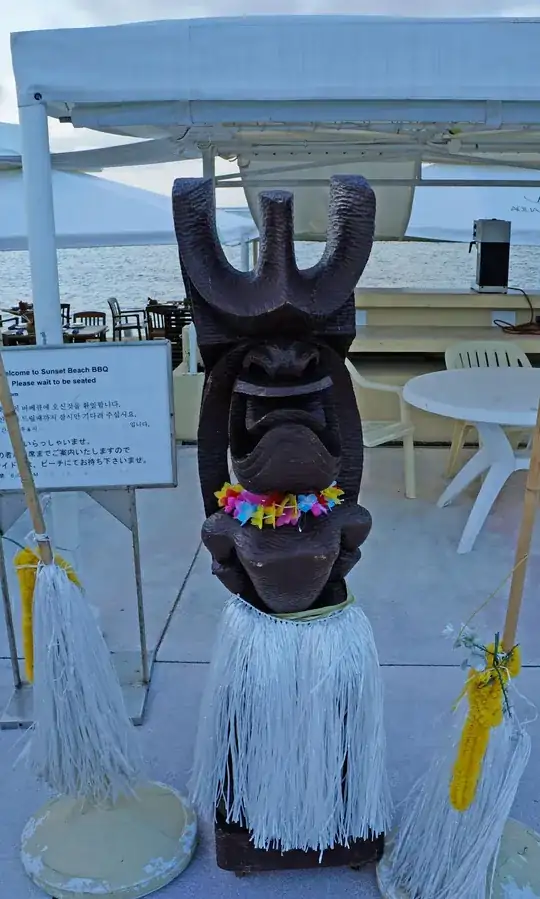
The dynamic range of the scene exceeds the capability of your camera and some sort of compromise or adjustment is needed. But, you know that :-).
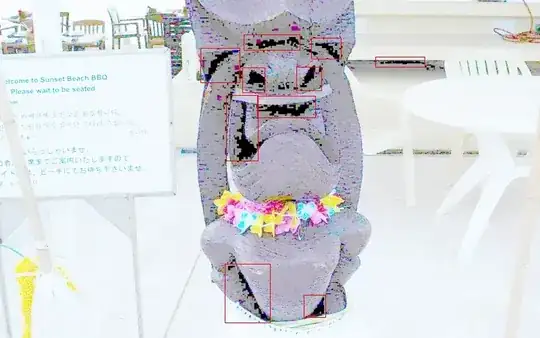
I consider that your blacks are so close to clipping that it is almost certain that you are losing information at the 'bottom end' even if the camera indicates that you are not - see image below. . Photoshop can make what you have look more acceptable but it cannot restore what you have lost - although it may look like it has done so, which may be good enough.
The segments of sky at top left are your 'brightest' areas and they do not appear to be clipping - but you have maybe only half a stop of headroom, which is not going to be enough to bring your dark areas up adequately just by shifting exposure as a whole. Relatively few people would notice if you did clip the sky highlights whereas the foreground underexposure will definitely be noticed, so if the only choice for in-camera adjustment was exposure shifting, increasing exposure by 1 stop or maybe more, would help.
You have not specified camera and model (always a good idea with this sort of question) but if you have some means of in-camera variable exposure/contrast/... management then using it or using it more aggressively here would help. (Nikon active d-lighting, Sony DRO, ...).
If you can't extend the camera dynamic range to accommodate the scene you may be able to subtly adjust the scene to fit the camera's capabilities. A whisper of fill-flash would work wonders here if flash is acceptable. This is the sort of place where, used judiciously, the much derided on-camera flash can be put to good use. It need not be obvious that you have used fill flash, while bringing the foreground dark areas up enough to render more detail and not really touching the brighter more distant areas and so effectively compressing your dynamic range.
If I was attempting to improve this 'out of camera' with my Sony A77 I'd try setting DRO ("Dynamic Range Optimiser") to maximum, expose so as to just clip the sky highlights and then see if that was good enough. If that was not good enough then accepting more sky clipping or adding modest fill flash would be next. If DRO maximum was more than good enough it could be set to auto (which will tend to minimise effect while avoiding clipping) or manually setting it to a level that worked well enough.
Using any adjustments - in camera or post processing, needs to be done with an awareness of possible undesired consequences. DRO and other manufacturers equivalents distort reality by selectively processing areas within images and this can lead to noticeable artefacts. Especially so if you know what to look for. Sony's version, which I' most familiar with, when set to maximum starts to eliminate subtle variations of amplitude in large areas that are almost constant amplitude in one or more colour channels. I've found that this can wreak havoc with the appearance of Polynesian flesh tones, especially when using flash. (Brown faces tend towards looking like coffee coloured slabs of skin).
In camera multi-shot HDR, if available, would deal with this scene with ease, but that may not be available to you.