16

I'd like to transform an image so that it can be mounted on a sphere. I'd like to use an image of a map (see the One Piece world map on the image), but it could be anything. Here is a kind of Family Picnic Photo that I could use, (this isn't my family, is just a Google result). I'd like to do this as a gift for my cousin on his birthday. I'm beginner on photo processing and manipulation and normally I use Linux, but every suggestion is welcome.
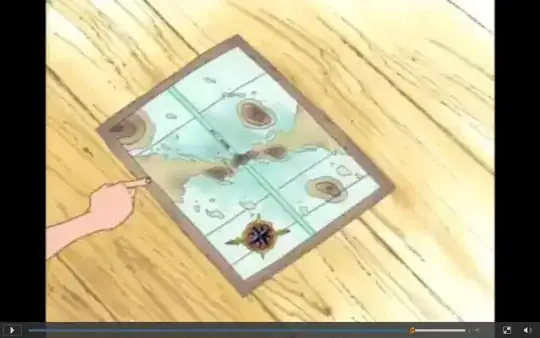
One Piece World Map

I would like a way to transform this image or photo into a "globular" image/photo, to put on something like this:
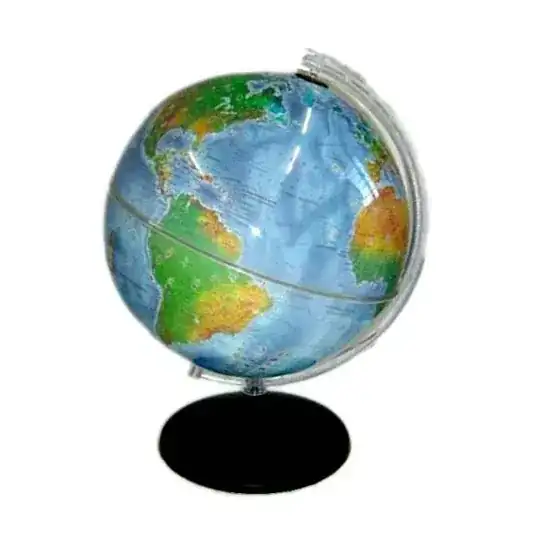
Real World Map

Is there any software that can do this for me? If not, how would I go about computing the necessary slices of my image to fit?

jrista
  • 70,728
  • 15
  • 163
  • 313
GarouDan
  • 273
  • 1
  • 2
  • 8

3 Answers3

17

IP-Slicer perl script can create slices which can stuck together into a ball. You can define the number of slices.

The following command will create 12 slices, where the sphere circumference is 1500 pixels.

sphere-slicer.pl 12 1500 sampleimage.jpg

Sample input:

input for IP-Slicer

Output (12 images):

output1 output2 output3 output4 output5 output6 output7 output8 output9 output10 output11 output12

asalamon74
  • 4,573
  • 4
  • 33
  • 44
  • Slick tool and, if he's on Linux, should be easy to get it going. – Joanne C Nov 19 '11 at 21:39
  • 2
    @asalamon74 Very interesting. I think this solve my entire question. Really thanks. – GarouDan Nov 20 '11 at 14:38
  • If I have a globe with x cm of perimeter, what the number of pixels of this globe? – GarouDan Nov 20 '11 at 14:53
  • 1
    That depends on the printing. Check this question about dpi: http://photo.stackexchange.com/questions/2041/what-does-dpi-mean – asalamon74 Nov 20 '11 at 15:12
  • I have a little difficult to make this script works. But it runs ok to me now. Thx @asalamon74 . But it's unclear to me wich "sphere circumpherence" parameter pass to the script to print the image and fit it exactly on the globe.

    I had find this site and I got 1500 pixel (X) = 39.6875 centimeter, so your outputs it's for a globe with 39.7 cm of circumpherece?

    Am I need the dpi resolution of a image before run the script?

    Can you explain a bit more how to do this? =)

    – GarouDan Nov 22 '11 at 10:22
  • If you print at 300dpi then 1500pixels=1500/300=5 inches. If you print 100dpi, it's 1500/100=15 inches. Check your printing software, probably you can set the dpi (or at least it will print it to you). – asalamon74 Nov 22 '11 at 10:33
  • from top to bottom of each of 12 images is the half of the diamater of your circle! –  May 22 '16 at 17:11
1

I found an interesting page offering both online and offline tools to create "gores" to be glued on a real sphere.

The most interesting is "USGS Daisy-Petal creator (requires .NET 2.0)", which creates "half gores" joined at the poles, thus making much easier to align and glue.

http://www.winski.net/?page_id=7

jumpjack
  • 272
  • 1
  • 2
  • 9
-2

GIMP has an extension called MathMap that can do this, too.

  • 1
    welcome to photo.stackexchange. A longer answer would be better, tells us how you use MathMap for example. – Paul Cezanne Sep 01 '14 at 16:53
  • 1
    I agree that a longer answer would be better. For example, what are MathMaps's capabilities and limitations? – JenSCDC Sep 01 '14 at 17:08