The flares are quite likely that the lens wasn't perfectly clean. Any oily fingerprints, smears etc will give that effect.
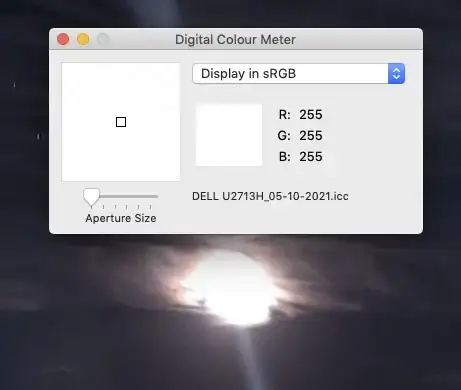
Getting the moon 'sharp' is a different challenge entirely. The reason it's 'blurred' is that it is massively over-exposed. The majority of it reads 255,255,255 [or very close] in a colour meter, meaning that area is totally saturated, pure white, & no detail could be captured. This cannot be 'rescued' later, as there is simply no data to rescue.
Any automatic exposure on a camera or phone, even when set to night mode will try to capture an average of the overall light available. This can sacrifice small bright spots to make the overall picture look more acceptable.
The only way to capture more detail is to reduce the exposure time, aperture or ISO - though you may not have full control over all these from a phone app. Some phones will attempt to make an HDR multi-exposure; this is typically one 'too bright', one 'too dark' & one 'just right' (think Goldilocks;) It then automatically merges these to lift the darker areas & drop the brighter areas.
If your phone cannot do this, you may have difficulty.
On a 'real' camera, you would do this on a tripod to prevent movement, taking three or more separate exposures, then perform an equivalent HDR process in software on your computer, after the fact.


