This answer is not intended for beginners to ArcGIS. Having some knowledge of Model Builder, especially iterators would be best.
I would use ModelBuilder to iterate through your shapefile directory, and run a clipping process.
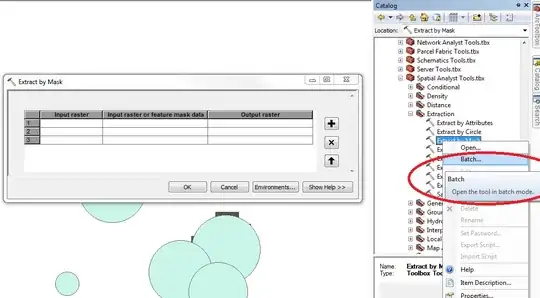
If you have spatial analyst, I would recommend using Extract By Mask.
If not, you can use Clip, but you'll need to do an extra step.
Open ModelBuilder, right-click -> Iterators -> Iterate Feature Classes (this works on shapefiles too).
Specify the directory for the shapefiles as the input workspace.
Now if you use Extract by Mask, it's as easy as adding the Extract by Mask tool to the model, connecting the inputs for the in_raster (your raster) and in_mask_data (your iterated filed).
If you have to use Clip, add the Feature Envelope to Polygon tool. Make the output of this go to a separate directory than your input shapefiles. Essentially this will create a rectangle which is needed to perform the clip.
Now, you should have your iterated shapefile, your raster, and a rectangle - all necessary for the clip tool. Set in_raster to your raster, the output of the envelope to the rectangle, and set the in_template_dataset to the iterated shapefile. You will also want to change the clipping geometry to ClippingGeometry to mask the output to the iterated shapefile.
For both, I recommend using the %i% variable in combination with your output name to separately name your outputs (so nothing gets overwritten).