5

I created a polygon which covers a park. But I want to distinguish some small buildings located inside the park. Consequently, I want to distinguish them and use them as independent patches inside the original polygon. I used to do it the "Add ring" function in the QGIS 2.2.

But I don't know, how can fill those empty holes, which were resulted. I tried the "Fill rings" options (in QGIS 2.2), but I was not lucky with it.

Does anybody have an idea, how can I fix this problem?

Taras
  • 32,823
  • 4
  • 66
  • 137
Imre Majláth
  • 63
  • 2
  • 5
  • It might be useful for future analysis and styling purposes to have your park boundaries and buildings on separate layers. – SAnderka Mar 13 '14 at 11:42

1 Answers1

7

I can see to ways of doing this:

Method 1:

Use add ring to cut the holes you need;

enter image description here

In the Settings > snapping options check the avoid intersection for that particular layer;

enter image description here

Use add feature, and draw a polygon around your ring or rings;

enter image description here

The new feature will take the shape of the hole.

enter image description here

Method 2:

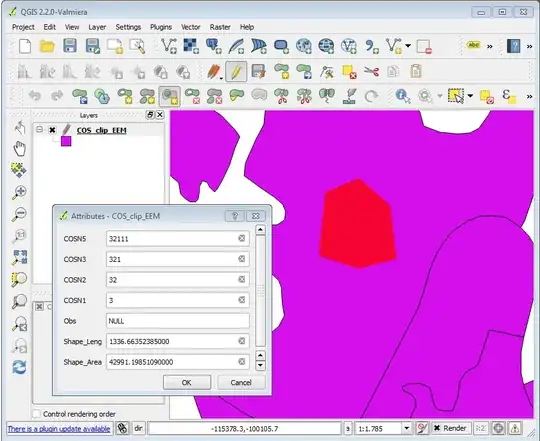
  1. Use the new 2.2 fill ring digitizing tool, and directly cut the rings on your original polygons and insert the new feature attributes.

enter image description here

This tool will automatically cut and fill the holes.

enter image description here

Alexandre Neto
  • 14,212
  • 2
  • 58
  • 85
  • Thank you, Alexandre Neto! The 2nd method was the solution for my problem! – Imre Majláth Mar 13 '14 at 14:12
  • 1
    I would accept your answer, Alexandre, but I don' know how can I do it (I am a new user). I can find no options for acceptance. ? – Imre Majláth Mar 17 '14 at 15:06
  • You should have a check mark on the top left corner of my answer. But no worries. I'm glad the answer was useful. Maybe you will be able to accept the answer when you a have a few more points. – Alexandre Neto Mar 17 '14 at 16:40
  • It works but it is rather time consuming and manual... – WAF Mar 17 '16 at 15:04
  • 3
    @WAF - In the more recent version of QGIS (and the Processing plugin in particular), there is the Fill holes tool which automatically fills rings/holes :) – Joseph Mar 17 '16 at 15:41
  • I've just found an annoying problem with the second method when you work on database (in my case spatialite) layers because it duplicates every attributes even the primary key so it fails to commit. – Gingerbread Dec 06 '17 at 11:31