I sometimes like to rotate a data frame in a layout, for example to fit more on the page if my area of interest is rectangular and runs from, say, northeast to southwest. But when I do, something strange happens to any labels I have which are in the callout box style: the carat pointing from the box to the feature gets very long and thin, and it looks terrible. Here's what my labels look like when the data frame is not rotated:

I can convert that to annotation and move it around and the carat still looks like it should:
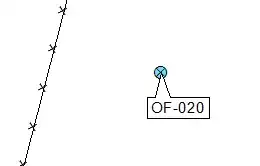
But when the data frame is rotated, this is what it looks like, the carat is squashed down to a thin line. The only change I've made here is rotating the data frame:

Converting it to annotation and moving it around doesn't improve things much:

Any ideas as to why this happens, and how to prevent it?

