If you add the GPS data to QGIS as a GPX file, it will load as a set of points with Z (elevation) values (PointZ).
Using the Points to Path tool from Processing (quickest access using ctrl-K or cmd-K to search), select the added layer:
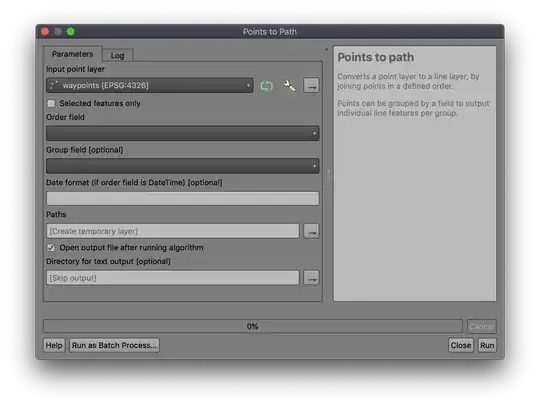 The only challenge is getting the 'order' field correct (and it's not optional); many GPS units don't save a date/time to the 'time' field in the GPX, sometimes saving it in the 'cmt' or 'desc' fields, which are often overwritten with descriptive text. You may have to make a new version of the layer (select-all then
 Edit | Paste Features As | Temporary scratch layer) and add an 'order' column and add integer values to set the order you want to use.
The output will be a LineStringZ geometry with X, Y, Z where the Z value comes from the elevation at that point.


