Basically I just want the outline of a shapefile, and nothing inside it. I have tried creating a buffer and dissolving but i still get some stuff in the interior of the polygon. I just want the outside. Also tried clipping the parcel file with itself but that leaves all the parcels intact. There are a lot of edges on the outside so creating a trace polygon is not gonna work for me. Is there another way?
Asked
Active
Viewed 1.1k times

2 Answers
6
If you know that you want to have only the perimeter, you could use the following process.
Please note that though the screenshots are from ArcGIS 10, the process and commands are the same for ArcGIS 9.3.1.
Existing Parcel Layer in ArcGIS.

Start Edit Session, Delete majority of
Interior Parcels. The purpose of this is to remove the potential for as many internal slivers to be created as possible in the next step. It is also quicker to delete these parcels than to try to merge them all together.
Select All remaining
Parcels, UseMerge Commandon Editor Toolbar. Select one of the
 Parcelsto keep attribute information. It doesn't matter which one as the outline is what is desired, not the attributes.

Result
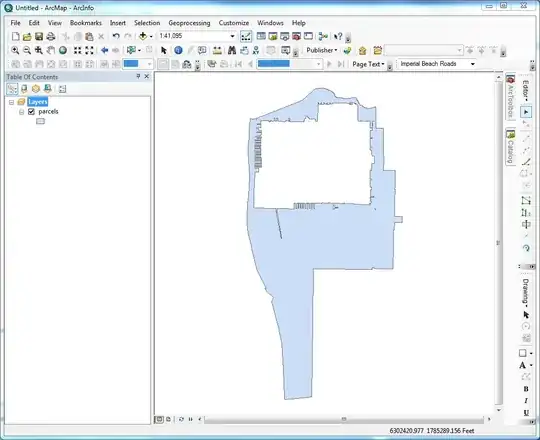
Double click on remaining parcel, and then open Sketch Properties window.

Delete all
Sketchesexcept for the one representing the outer ring. This will leave you with a single parcel.

This will leave you with just the exterior sketch.

Even though this is a multi-step process, it is pretty quick. The step that will save the most time is deleting the interior parcels. The fewer there are remaining, the easier the merge will be, and a smaller number of potential interior sketches that have to be deleted. In this case, I had 8 interior sketches that had to be deleted, which took about a minute to do.
Hope this helps.

Get Spatial
- 13,259
- 6
- 41
- 68
2
Assuming that you have no gaps in the shapefile (ie- road casing, holes, etc), you should be able to simply use the Dissolve tool, do not check any "Dissolve Fields", and uncheck "Create multipart features). The end result will be a single polygon with all interior polygons removed (dissolved) away.
If you literally just want the boundary (line), you can then convert the polygon to line featureclass using the "Feature to Line" tool (ArcInfo license required).

RyanKDalton
- 23,068
- 17
- 110
- 178
Eraseoperation in ArcGIS. This site is full of example (Python) scripts for ArcGIS. I found a bunch by searching on ArcPy + Erase; perhaps they can help you. – whuber Aug 11 '14 at 17:00