1

I have done the step from my previous question at How to use the coordinate system in arcgis 10? and it looks great when the layer did match all together.

It almost the same problem. The problem is, why the layer that I add into table of contents did not move into any single place that I edit in the properties?

It only stick into one place only. I have try many ways to change the location of the layer added.

enter image description here

The red point is my layer added after I add the Bing Maps from Arcgis 10. Then I click the right click button < properties < Coordinate system.

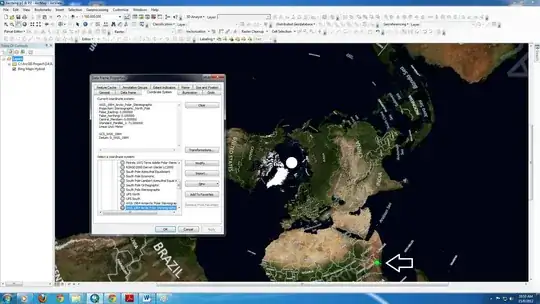
enter image description here

enter image description here

enter image description here

I'm still learning the basics.

PolyGeo
  • 65,136
  • 29
  • 109
  • 338
dark_kaoru
  • 47
  • 7
  • Your layer is not in the correct spatial location? – artwork21 Aug 15 '12 at 02:21
  • yup. Do you know how to fix this? I already click every location in archgis coordinate system and it seem doesn't have a solution for this. – dark_kaoru Aug 15 '12 at 02:50
  • What Coordinate System are you wanting to display your data in? If you don't change it via Data Frame Properties, then the Coordinate System of the Data Frame will be that of the first data set added to it. – PolyGeo Aug 15 '12 at 06:22
  • I wanting Asia - malaysia map to display in my data. But it seem that the layer didn't match any map from arcgis. And i already done that. – dark_kaoru Aug 15 '12 at 06:56
  • What does the metadata say about the coordinate system? – Aaron Aug 15 '12 at 12:49
  • 1
    Please take a look at this question and the related answers. http://gis.stackexchange.com/questions/20572/layers-having-the-same-coordinate-system-should-overlap-but-they-dont-whats There are 2 things you need to ensure. Make sure that you know the projection of your layer. Make sure to "Define" the coordinate system of the layer to match the known projection. Make sure to set the coordinate system of the Data Frame. Once you have correctly defined the coordinate systems of each component, they should all overlay. If not, one of those items is still incorrect. – Get Spatial Aug 16 '12 at 00:54
  • Wah, Thank you so much @Get Spatial...^^ I think it really helps a lot. – dark_kaoru Aug 16 '12 at 03:39
  • Glad that I could help. What would be great for other users of GIS.se would be for you to return when you have found a solution and enter it here as an answer to your question. This would help others with the same problem – Get Spatial Aug 18 '12 at 04:32

0 Answers0