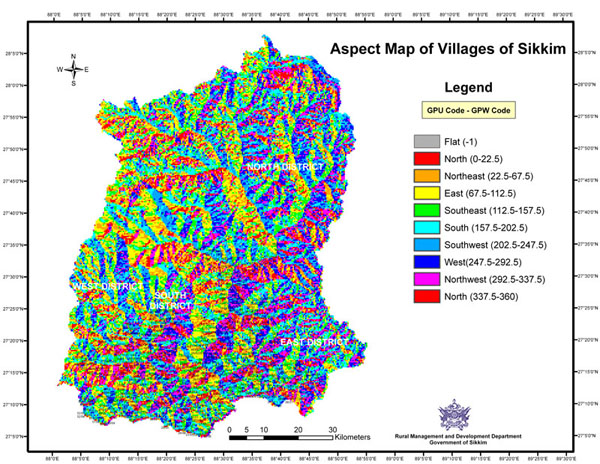
I'm trying to create an Aspect Map similar to this one: https://kingsgeocomputation.files.wordpress.com/2016/03/10sikkim-village-aspect.jpg?w=980
I have two files to work with from the start; the primary is a contour .dwg that I know is accurate while the secondary is a DEM that was created in Civil 3D using those contour lines (Civil made a huge file out of it so I'm not a big fan of using it if I can start from scratch using the contours in QGIS).
In my first attempt I used the DEM and the Aspect tool within DEM (Terrain Models) to create a map. It worked, but for some reason it looks like it's converting the DEM back to contours and coloring the contours rather than the entire surface (as if it interprets the slope between the contours to be flat). This is a screen capture of what that's looking like: http://i535.photobucket.com/albums/ee355/MR_HT/Aspect%20Map%20Attempt%201_zpsrikymkrj.jpg
It works in the steep areas, but the flatter areas don't really cut it. This is a screen cap of the DEM I used to make this: http://i535.photobucket.com/albums/ee355/MR_HT/Aspect%20Map%20DEM_zpsuushwzip.jpg
I presume that the problem is that the DEM was generated as flat tiers between the topo lines. So it looks pretty good as a greyscale but when QGIS tries to interpret the slopes it's reading each grey as a flat plane instead of smoothing the colors across the surface. Does this make sense? If this is a problem, I guess the next question is: can I use contours to create a DEM that will work better for this application?