19

I have several hundred geo-referenced data points, and the relationships from that point to other points. I'm trying to figure out the best way of visualizing this on an interactive map (possibly using google maps).

One idea I had was that when a user clicks on a point, it then displays all the links from that point to the related points.

Do you have any suggestions or examples of how to do this?

I have experience using ArcGIS, QGIS, Python and a small amount of JavaScript.

PolyGeo
  • 65,136
  • 29
  • 109
  • 338
djq
  • 16,297
  • 31
  • 110
  • 182

5 Answers5

11

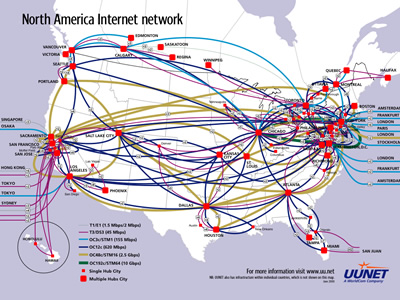
There are different methods depending on what you want to accomplish, how much data you have, and how pretty you want it. Your idea is a good idea and would probably work well. Of course another obvious answer is to show all of the relationships all the time but that would add a lot of visual clutter. Perhaps a nice compromise is to always show all of the relationships but in a semi-transparent color so they are barely visible. Then when a user clicks or mouses over a data point, the links from that point would become opaque.

One thing you can do to make maps a little more visually pleasing and intuitive is to use curved lines instead of straight lines to connect to data points. This works in two dimensions or three dimensions. You can also do interesting things by playing with the colors and transparency level of the lines.

One very nice and elegant solution is the Flow Map. This visualization would also be more interesting if you add the interactivity of being able to mouse over or click on a data point and see the connecting datapoints.

I'll let others speak to ArcGIS and QGIS, but I would recommend trying protovis. It's a domain specific language for visualization built on top of javascript so it should make some of these visualizations relatively easy. The Flow Map page includes code in Java, which you could translate to other languages/platforms. It probably wouldn't be too difficult to translate the Flow Map code to Protovis though I have not tried.

Jay Askren
  • 1,071
  • 8
  • 17
7

Two tools I could suggest for some exploration:

In both solutions you could specify geographic coordinates as the position of nodes and the get nice flow representations by intensity and/or direction.

None of these tools offer easy export to web map, but with little bit of hacking you could probably translate output of one of them into KML as a start.

PolyGeo
  • 65,136
  • 29
  • 109
  • 338
radek
  • 10,579
  • 12
  • 86
  • 121
6

Jay has covered a lot of the suggestions that I immediately thought of from the visualisation angle. However, does it have to be a network? Depending on the needs of the user and the clustering of the data a better solution may be to show relationships with color coding rather than lines.

My suggestion: when a user clicks on a point then all the related points intensify in color/glow on and off (like the sleep indicator on a sleeping Mac)/get a colored halo. Click off icon or on another point and the first set of relationships turn off. This would do away with the visual clutter of lines.

I suspect this solution would work best if: - there are lots of relationships (could end up looking like a spaghetti fight) - points are clustered strongly, the lines will be less easy to see if points are close together

Could you elaborate on clustering and total number of relationships?

Trevesy
  • 821
  • 4
  • 11
0

Here you can find some info about desire lines.

In the image you can see many links to related point using FlowMapper plugin.

Example of links to related point

I know it do not complete answer to your question, but I hope it can help in something

Ale
  • 1,313
  • 4
  • 26
  • 48
0

I was thinking about this myself recently and came across this...

http://hint.fm/wind/

In my case I am looking at students moving from secondary schools to universities, so keep in mind I get a lot of clustering going on, and movement occurs only in one direction. But I think the ability to see movement across the network would help users see the overall structure.