How can i increase mouse sensitivity in Skyrim?
- on the main menu the mouse cursor is sluggish
- in-game mouse sensitivity is too low
Things i've tried:
increasing Look Sensitivity in-game:

In my
SkyrimPrefs.inifile:- Increasing
[Controls]\fMouseHeadingSensitivityfrom0.0125to1.0500 - Adding
[Controls]\fMouseHeadingXScale=1.0500 - Adding
[Controls]\fMouseHeadingYScale=1.0500 - Turning off mouse acceleration: Changing
[Controls]\bMouseAccelerationfrom1to0 - Turning off v-sync: Adding
[Display]\iPresentInterval=0
- Increasing
Changing Detail in the launcher to Low from auto-detected Ultra

- Running in Windowed mode

- Turning off Steam's Overlay UI:

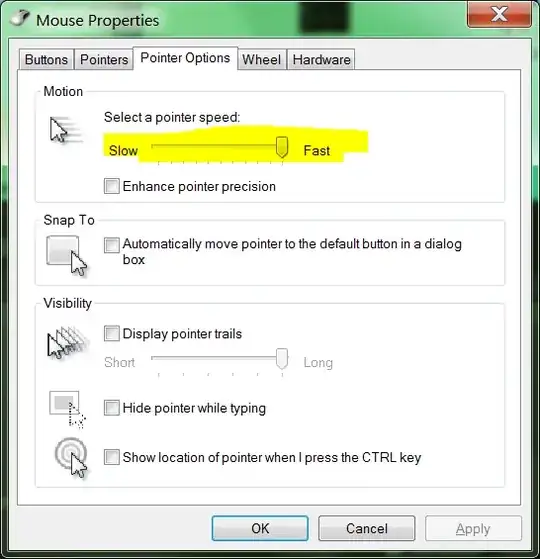
- Increasing my mouse pointer speed in Windows
Note: My question is different from How can I sync vertical/horizontal mouse sensitivities?, which looks to make the poor mouse sensitivity equal in both directions. i want not poor mouse sensitivity.
Note: "C:\Program Files (x86)\Steam\steamapps\common\skyrim\Skyrim\SkyrimPrefs.ini"
Note: And restarting Skyrim after each change.
Note: Including details of what i've tried are only presented to shut people up who bitch about a "lack of research effort". i should be able to ask my question with explanation, justification, or research. Also people love screenshots - it draws them in like moths.