-1

When I tried to take backup of SQL Server database, it was successfully created in C:\Program Files\Microsoft SQL Server\MSSQL10.MSSQLSERVER\MSSQL\Backup\ but no such path is available on my local machine.

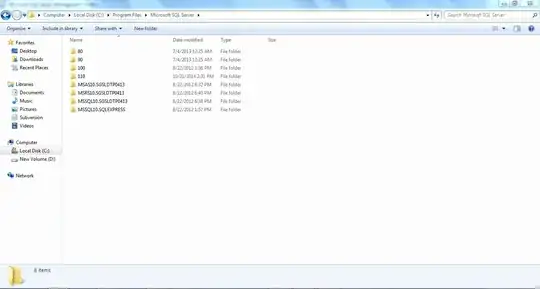
On my system I have C:\Program Files\Microsoft SQL Server but no \MSSQL10.MSSQLSERVER inside Microsoft SQL Server folder.

My question is where it has been created? How to take that HFS .bak file?

Screenshots:

enter image description here

enter image description here

enter image description here

marc_s
  • 8,932
  • 6
  • 45
  • 51
Sathiya Kumar V M
  • 219
  • 1
  • 3
  • 15
  • 4
    Is your SQL Server instance existing in your local system (laptop/desktop) or in some other system (server?). If it's on server then go and look for C:\Program Files\Microsoft SQL Server\MSSQL10.MSSQLSERVER\MSSQL\Backup\ on the server. – Rao Y Feb 16 '15 at 06:27
  • God! I didn't think in this way. You are exactly correct. SQL server is existing in some other server. Thanks a lot for notifying this. – Sathiya Kumar V M Feb 16 '15 at 06:29

1 Answers1

4

Is your SQL Server instance existing in your local system (laptop/desktop) or in some other system (server?). If it's on server then go and look for C:\Program Files\Microsoft SQL Server\MSSQL10.MSSQLSERVER\MSSQL\Backup on the server

Rao Y
  • 153
  • 1
  • 5