I've installed Xcode and MacPorts on a brand new mid-2013 MacBook Air, but MacPorts doesn't work, saying that it cannot find anything.
mba:~ cnst$ sudo port install wget
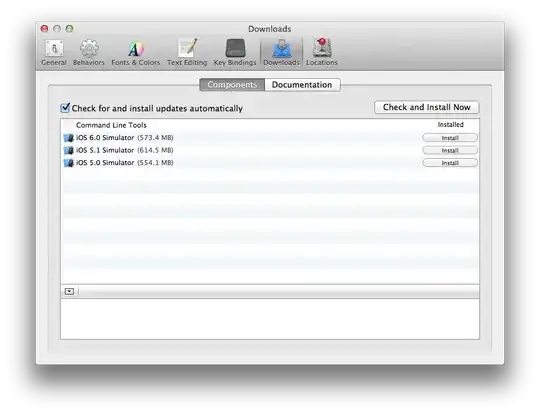
Warning: The Command Line Tools for Xcode don't appear to be installed; most ports will likely fail to build.
Warning: See http://guide.macports.org/chunked/installing.xcode.html for more information.
--->  Computing dependencies for wgetError: Unable to execute port: can't read "build.cmd": Failed to locate 'make' in path: '/opt/local/bin:/opt/local/sbin:/bin:/sbin:/usr/bin:/usr/sbin' or at its MacPorts configuration time location, did you move it?
mba:~ cnst$
And, indeed, there is no make or clang in the path, but it is definitely installed, though:
mba:~ cnst$ find /Applications -name "clang" -or -name "make"
/Applications/Xcode.app/Contents/Developer/Toolchains/XcodeDefault.xctoolchain/usr/bin/clang
/Applications/Xcode.app/Contents/Developer/Toolchains/XcodeDefault.xctoolchain/usr/lib/clang
/Applications/Xcode.app/Contents/Developer/usr/bin/make
mba:~ cnst$
Why is there no make or clang in the path? Why MacPorts doesn't work?
I notice that http://www.macports.org/install.php#pkg mentions that you have to install something from ADC, Apple Command Line Developer Tools, but ADC doesn't work since last Thursday or Friday due to their security breach, so, the developer tools are nowhere to be found.
What's the proper solution here?



make,clang, etc., but you should really consider switching to Homebrew. – Jason Salaz Jul 25 '13 at 01:10