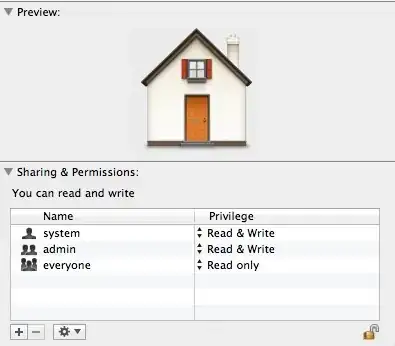
My 08 mb, OSX Mt Lion, crashed so I bought new 2012 MBPr. Luckily, I backed everything up. Migrated everything from 08mb over to new MBPr. I noticed that when I deleted files, it skipped the trash can. My home folder did not have me as admin with RW permissions so I had to add myself and give myself RW access.
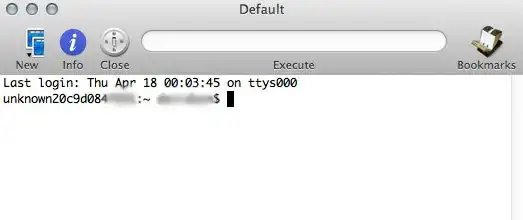
Before, when I opened iTerm (similar to Terminal), it would say computer name:~ username$. Now, I see an odd hexadecimal name for my computer.
How do I change the hexadecimal code to my computer name?
Is this the correct default permissions for Home folder?
Thanks.


unknown20c9d....– Danger14 Apr 18 '13 at 19:06