Is there any powerful program in Mac to check the health status - mainly bad sectors - of an external (USB) hard disk, and to recover them?
Asked
Active
Viewed 5.7k times
9

-
1Do the answers to http://apple.stackexchange.com/questions/73423/checking-for-bad-blocks-without-formatting help? – nohillside Apr 16 '13 at 15:20
-
1Can you please elaborate your question a bit? "All problems" is rather broad, what specific checks and problems are you looking at here? Why do you think Disk Utility and fsck might not be adequate? – nohillside Apr 16 '13 at 15:48
2 Answers
5
You cannot recover data from a bad sector. Disk Utility will not detect bad sectors, nor will fsck. These will cross check index files on the drive and correct them as needed.
When a hard drive detects a bad sector it's supposed to remap it to a spare sector if a spare sector is available. There can also be weak sectors which are readable by the drive but with great difficulty.
NONE of the operating system tools will do scans for bad sectors on a hard drive. You need third party tools to do that. Rather than provide a list re-hashing the merits of each I'd ask readers to refer to the list in the following link:
http://forums.macrumors.com/showthread.php?t=1544280
Everyone will have their own opinions on which one is best. My guess is that if they made that list, they're good.
Another word about external vs. internal HDs. Unless 3rd party support is added, USB and Firewire drives will not be SMART capable. SMART can report a certain number of developing problems with an internal hard drive that may be critical, but they won't get reported if they're on USB/FireWire drives.
Hope this helps....

Bob O
- 91
3
Two options are already built in
- Disk Utility from
/Applications/Utilitiesworks equally well for internal and for external disks (as long as they are attached via Firewire, USB or Thunderbolt).
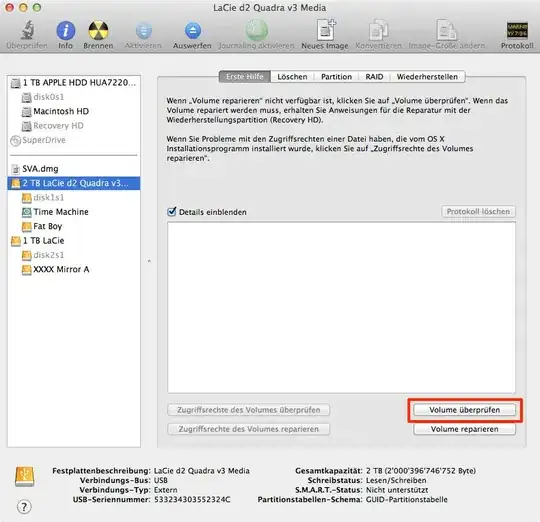
- If you are familiar with Terminal, you can also use
fsckto check filesystems. To get the device names, first rundiskutil listwhich lists all drives and filesystems and then runfsck -fpy /dev/IDENTIFIERfor the actual check.

Both tools focus on the filesystem level which usually is not a problem because bad sectors tend to get handled by the drive itself. If you want to go the whole mile there is always Drive Genius which offers extensive options including "Realtime bad-block scanning and an extended block verification that stress tests the read/write validity".

nohillside
- 100,768
-
1
-
Compared to Disk Utility? fsck can run on several drives in parallel, the rest is probably the same – nohillside Apr 16 '13 at 18:01
-
1Disk Utility will run on several disks at the same time. Open a new window to run another process on another drive in parallel. – thepen Apr 07 '15 at 23:23