I use XML Editor from XMLmind for editing/viewing XML file in Mac.
It's not bad, but I expect an XML editor for Mac. What options do I have including the commercial/free software?
I use XML Editor from XMLmind for editing/viewing XML file in Mac.
It's not bad, but I expect an XML editor for Mac. What options do I have including the commercial/free software?


IntelliJ IDEA is overall a good IDE, it's available on Mac, and it supports editing XML in ways such as syntax highlighting, collapsing a given scope, and validating XML. I haven't used it much for XML, but I've had good experiences with that IDE for other purposes so thought I would mention it here.

And of course Emacs with psgml-mode or nxml-mode will edit XML.

Testing this and that, I settled down with Text Wrangler, with XML Tidy script. It's free and pretty useful for my purposes.

I found a simple and free software to view, no editor: XML Spy

If you have the Apple Developer Tools installed, then you have Xcode and this includes the "Property List Editor" application (Apple plist files are in XML format, hence the name).
You can find the application here:
/Developer/Applications/Utilities/Property List Editor.app

You can download the source code from GitHub and compile it locally. Then in the preferences install the appropriate language bundle. https://github.com/textmate/textmate
If you like the application I would recommend buying the commercial version to show your support to the author.

I'm looking for the same thing, and I just came across XMLmind XML Editor. I like how it can load my files pretty quickly.
@rds: I've tried using Eclipse to open my XML files, but it would hang with my files (>15MB). I've come to notice any editor built with Java hangs upon trying to open my file, or at least takes an unbearably long time to load it.


Another option is Microsoft VS Code with an XML extension...
I'm using: https://marketplace.visualstudio.com/items?itemName=DotJoshJohnson.xml
You can Cmd+Shift+P and type "XML" to find the utils provided by the extension.
Some keyboard shortcuts are provided, e.g. Ctrl+Shift+Alt+B to format nicely.
Or find elements by XPath query, or display the XPath of the highlighted element.

You can try all in one JSON viewer or all in one XML viewer.
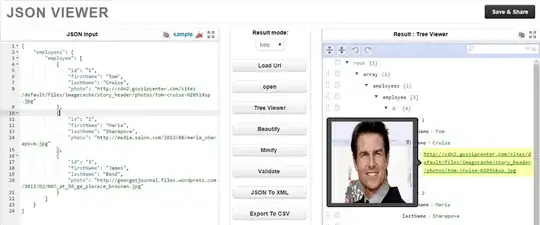


I have used both of these to beautify code for publication many times.
– August Mar 29 '23 at 22:45


