Apple provides two tools that most people find very adequate for normal network scanning and troubleshooting. One is graphical and the other command line based.
- /System/Library/CoreServices/Applications/Wireless\ Diagnostics.app (on newer OS) and /System/Library/CoreServices/Wi-Fi\ Diagnostics.app (on older OS)
- /System/Library/PrivateFrameworks/Apple80211.framework/Versions/Current/Resources/airport
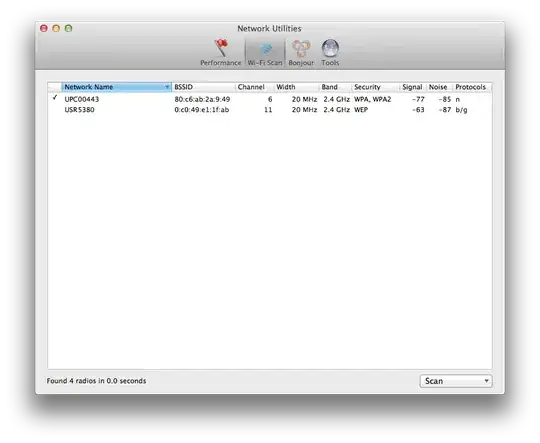
The former will draw a very nice graph of signal and noise for you and can perform wireless scans, Bonjour service mapping (both locally and across the internet IPv4 and IPv6), ARP, and just about anything that the normal network utility tool does except for port scanning.
I symlink the airport command into /usr/local/bin so that you can call it from any shell.
Air:~ me$ ls -l  /usr/local/bin/airport
lrwxr-xr-x  1 root  wheel  89 Apr  4  2012 /usr/local/bin/airport -> /System/Library/PrivateFrameworks/Apple80211.framework/Versions/Current/Resources/airport

The terminal command is more useful for scanning and changing the way your device joins networks than getting signal or noise information, but airport -I does dump details that normally are shown when you hold the option key and click on the Wi-Fi icon in the menu bar (such as MCS, RSSI, Noise, and transmit rates).
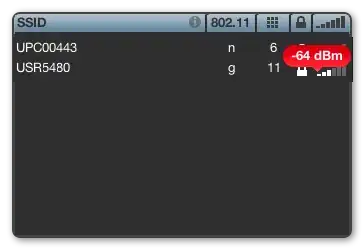
If you want more powerful tools, start with these professional quality and reasonably priced apps:
- WiFi Notifications - free and simple notifications to narrow down when significant events happen on WiFi
- WiFi Signal - runs in your menu bar
- WiFi Explorer - full analysis and nice graphs - slightly more expensive





airportcommand? – Guglie Jan 11 '18 at 13:11