Make an Automator service with a keyboard shortcut
- Install PNG Paste
- Paste code to make an Automator workflow
- Add keyboard shortcuts to trigger the workflow
Using ⌘V in Finder.app will paste image data from the clipboard (if it's there) as a file, or else paste normally.
1. Install pngpaste
Run this Homebrew command in Terminal to install the pngpaste command line utility.
brew install pngpaste
2. Make a Service with Automator
Make a type of Workflow called a Service, which will appear in Finder menu → Finder → Services. It tries to paste an image as a file, or else performs a normal paste.
Open Automator.app
New File → Quick Action → Choose
Set parameters
Filename: Paste Clipboard Image as File
Workflow receives no input in Finder
Add Run AppleScript action, and replace its code with
on run {input, parameters}
set cbInfoAsString to (clipboard info) as string

if cbInfoAsString contains "«class furl»" then

    tell application "System Events" to ¬
        keystroke "v" using control down

else
    set formattedDate to do shell script ¬
        "date -j '+%Y-%m-%d at %H.%M.%S'"

    if cbInfoAsString contains "TIFF picture" then
        tell application "Finder" to set thePath to ¬
            (insertion location as alias) & ¬
            formattedDate & ".png" as string
        do shell script "/opt/homebrew/bin/pngpaste " & ¬
            the quoted form of the POSIX path of thePath

    else if paragraph 1 of (the clipboard as text) contains "<svg" then

        tell application "Finder" to set thePath to ¬
            (insertion location as alias) & ¬
            formattedDate & ".svg" as string
        do shell script "pbpaste -Prefer txt> " & ¬
            the quoted form of the POSIX path of thePath

    end if
end if

end run
3. Add keyboard shortcuts
Remap Finder's normal Paste command to a secondary keyboard shortcut ⌃V. Then assign the primary keyboard shortcut ⌘V to our new script.
System Settings → Keyboard → Keyboard Shortcuts → App Shortcuts → Add (+)
| Field |
Value |
| Application |
Finder.app |
| Menu Title |
Paste |
| Keyboard Shortcut |
⌃V |
System Settings → Keyboard → Keyboard Shortcuts → Services → General
Under Paste Clipboard Image as File, double-click None to replace it with keyboard shortcut ⌘V
4. Test
Copy an image as image data. Use ⌘V to paste it into Finder. An image file should appear. Test for both PNG and SVG (e.g., in Figma's Copy as PNG and Copy as SVG).
Copy a non-image file. Use ⌘V to paste it into Finder. The file should appear like it would before you followed this guide.
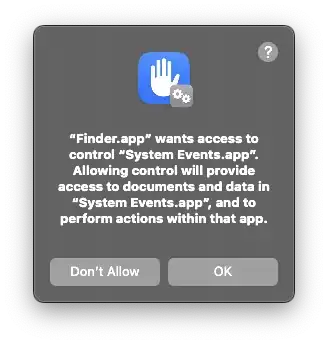
If "Finder.app" wants access to "System Events.app", that's OK.
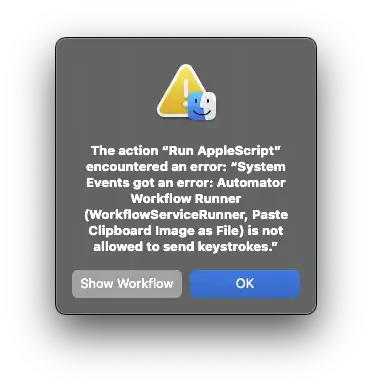
Same for permitting the service to send keystrokes; give accessibility permissions to Finder.app to make this error go away.
Credit
The process has been adapted from @Landon. The code has been slightly modified from @user3439894's answer to Detect whether clipboard item is image data using AppleScript. This script does not have error-checking, so it may create unpredictable side effects when not used as prescribed.


