Mavericks Update
Sadly this issue remains unresolved in Mavericks.
End Update
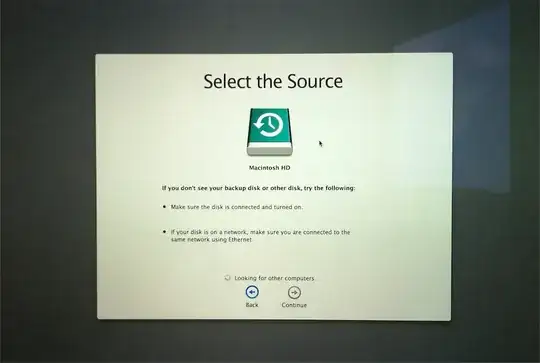
When I run Migration Assistant (from an admin account) in Lion, M.A. hangs at the message
 "Looking for Other Computers". The Time Machine disk is not seen even though it is connected through USB and it is the Lion TM disk from the same machine.
I tried:
- Pressing the greyed-out 'continue' button.
- Having the Time Machine both selected as the TM disk, or connected without being selected.
- Rebooting into the recovery partition and attempting recovery from TM. At least in that case the TM disk is seen, but it cannot be used because "only full Mac OS X backups can be restored". I only save user files on TM.
What are some other ideas I could try? I prefer to avoid running a 'cp -pR', but if you think I could get away with it, please mention the caveats.