This also can be a temporary situation.
I've been doing a lot of restoring of Time Machine backups to new machines and for a handful of minutes to a several hours after the restore is done, this tool reports other when in reality a good chunk of space should (and will eventually) be shown to be music, apps and movies.
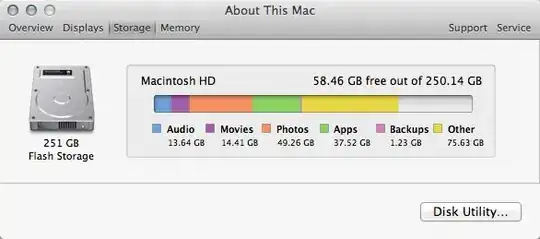
The picture above looked very similar to yours when I first checked. Unlike spotlight, which shows indexing progress and will incrementally refine search results as new space and files are indexed, System Information takes a momentary snapshot. If you leave that window open and come back in a day - it won't have changed, but if you quit and re-open it, you should see the categorization completed and a truer representation of space.
So, I would also suspect that sometimes the process storing this data could be buggy and a reboot/reinstall/other might be needed to clean things up and re-start the process that determines which file type is using space.


