Although it may not have been possible three years ago, when you asked this question, a partial solution is available on macOS 10.14 and newer, and iOS 13 and newer (probably older versions).
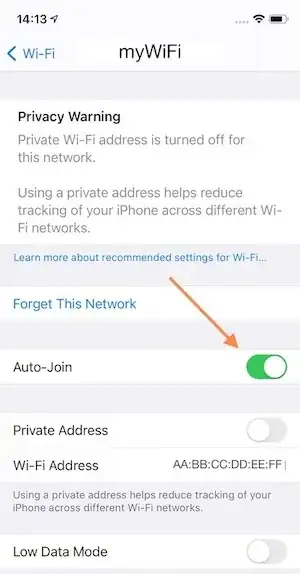
On iPhone/iPad, deselect Auto-Join from the Wi-Fi network's Info page. I'm pretty sure you must joint the network to have this option. Then, even if the passphrase syncs, your iPhone should not join the network without manually selecting it.
On the Mac, de-select the Auto-Join check box next to the network name in Advanced Network settings, on the Wi-Fi tab (System Prefs-Network-Advanced-WiFi). You don't need to join to the uncheck the box.
 These methods have the advantage of allowing you to join the network if you ever need to.


