I used Boot Camp to create a Win10 system on my Mac 2017.
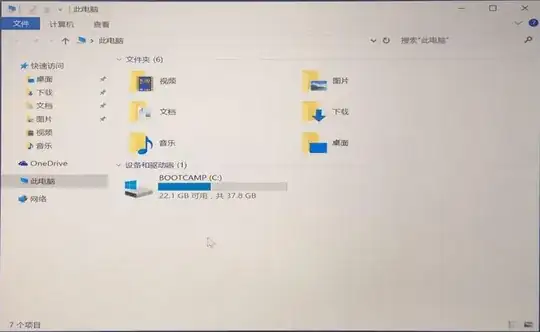
But you see the C disk only 37.8G usable (40G), how can I divide a disk from the Mac to add a D disk to the Win10 system?
I used Boot Camp to create a Win10 system on my Mac 2017.
But you see the C disk only 37.8G usable (40G), how can I divide a disk from the Mac to add a D disk to the Win10 system?
Things to consider...
Do you have sufficient spare drive space on your Mac drive?
Do you really need a separate partition or just a larger C partition?
The only Apple-supported way to change the size of a Boot Camp partition is to delete it then re-add from Boot Camp Assistant - not great if you need to preserve data on the Windows partition.
Disk Utility will not allow you to create more than 4 partitions on a drive, including hidden partitions. The Boot Camp partition was already the fourth.
Trying to change partitions in any way, shape or form from inside Windows will break your entire Mac/Win drive structure.
The only application I know of that can move, create, resize, backup partitions, including Boot Camp, without breaking anything is Paragon Hard Disk Manager
My recommendation would be to use it to increase the size of the C partition [thereby shrinking the Mac partition, assuming sufficient free space] rather than create another as a D partition.

