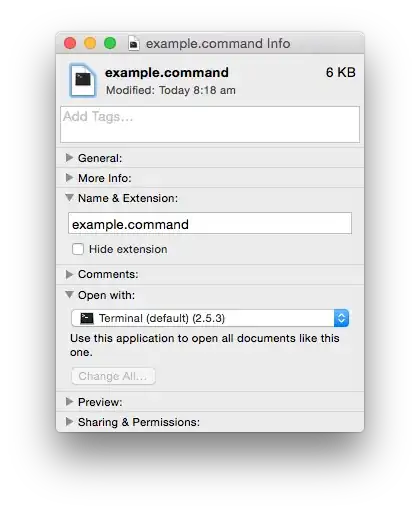
I have a simple "Hello world" script that I want to turn into an executable. The problem is that even though I went through the steps of declaring the path of the Python interpreter in the first list of the code and made it executable via chmod, it does not run as an executable. Instead when I click it my text editor opens up the file. This sounds really stupid, but I've tried everything. ./hello.py prints Hello world in the Terminal.
I've tried changing the file to open with the Terminal instead, but it's greyed out.
#!/usr/bin/python
print 'Hello world'
What I typed in the terminal:
chmod +x hello.py
./hello.py
Output:
Hello world
The problem is that double clicking the script opens text editor instead of running it as an executable.
What I tried:
Changing what the file uses to open itself by having it default to the Terminal, but OS X grays out that option.