I came across this today :
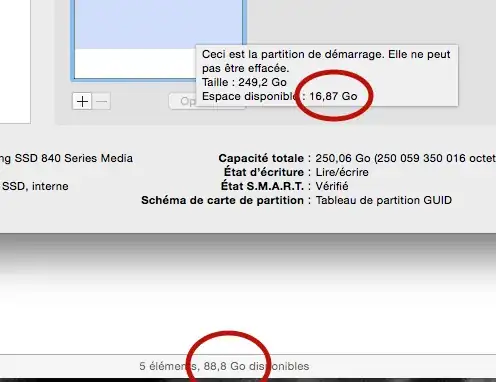
At first I was like : "Caching bastard." but no... The finder is right and the diskutil is wrong... Why ?
I came across this today :
At first I was like : "Caching bastard." but no... The finder is right and the diskutil is wrong... Why ?

The reason is probably that you have local snapshots of time machine backups (http://support.apple.com/en-us/ht4878). The difference is that the Finder calculates the free space you can use (the backups would be deleted if necessary). They are stored at /.MobileBackups (at least that's what it has been in Mavericks iirc) if you want to have a look and verify how much space it is consuming.
Other possible causes:
