When I was beta testing Yosemite I had installed the beta version in a partition on my disk. Now that I have upgraded my computer to Yosemite I would like to delete the beta testing partition.
However when I run Disk Utility I no longer see the two partitions as children of a single disk but each with their own parent disk (which I presume is because Yosemite converts hard disks to use Core Storage volumes?)
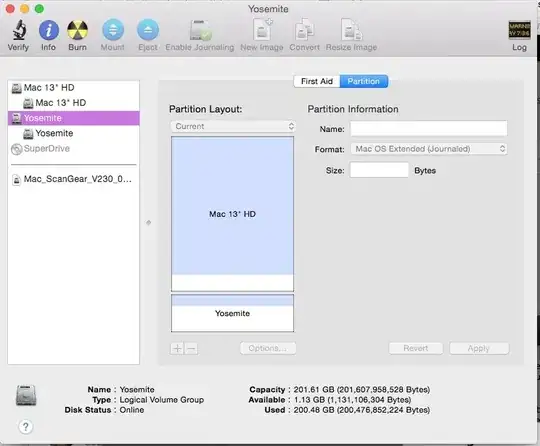
More importantly I can no longer add, remove or resize partitions at all - all options are greyed. I tried rebooting into the Recovery disk but had the same problem there. Solution?
