Bought a a second hand ipad from a yard sale the person had it set to new installation. I looked at it before I bought it to make sure it powered up, and I got it home and connected to my laptop to start the process I found I i could not go any further be cause the ipad had been locked by another apple Id. When I went back to show the person they didn't know how that had happrned and they didn't recognize the apple Id and now they wont do anything to help try and reset it nor give back my money and now i'm stuck with a locked Ipad and no money. What can I do now?
Asked
Active
Viewed 6.7k times
0


-
So I think you bought a stolen iPad 3. Send an email to the apple-ID (the ID you iPad is locked with) and ask that person what to do. The iOS lock is pretty decent these days. – CousinCocaine Jul 16 '14 at 12:48
1 Answers
-2
With the iPad powered off, press and hold the Home button, connect the USB cable from PC/Mac to iPad.
Continue holding the Home button until you see the "Connect to iTunes" screen, then release the Home button.
Open up iTunes to see iPad in recovery mode.

Oleg
- 93
-
-
-
1This doesn't bypass Activation Lock—see How secure is Activation Lock on iOS 7? – grg Jul 16 '14 at 13:03
-
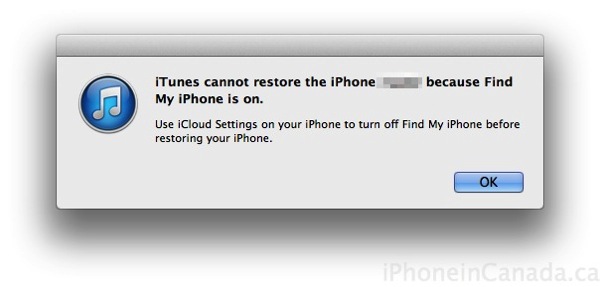
Connect to the PC and run iTunes. Click on your device in the left-hand pane, then click Summary at the top of the iTunes window, just below where the equalizer is diplayed. You should see a Restore iPad button at the top-right under your device info. Click it and follow the directions. – Oleg Jul 16 '14 at 13:04
-
-
So you can try this advice: "To reset, press and hold both the Sleep/Wake and Home buttons for at least 10 seconds, until you see the Apple logo." This will reset iPad to factory settings. – Oleg Jul 16 '14 at 13:08
-
-
@oleg - Once the new iOS is installed, it checks for activation lock and is now wiped, but still not able to be activated. You can test this yourself in about 15 minutes. – bmike Jul 16 '14 at 13:42