23

I have to check if my web page running locally on nginx does not work due to permission issue. My web scripts are running as _www user, so I tried to switch to _www but this does not work:

maciek@macus:~$ sudo su - _www
Password:
maciek@macus:~$ whoami
maciek

How can I do this in 10.8.5?

dwightk
  • 7,619
  • 14
  • 47
  • 70
Maciej Sz
  • 333

2 Answers2

22

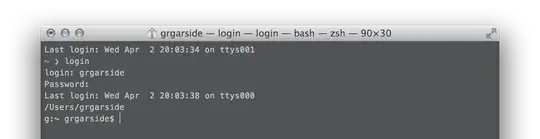
Use login:

$ login
login: username
Password:
Last login: Day Month Date HH:MM:SS on ttys000
$ whoami
username

grg
  • 201,078
  • 1
    I don't think that system users have passwords. It prompts for password, and empty does not work. – Maciej Sz Apr 02 '14 at 19:13
  • 3
    this is the correct way to do it. – CousinCocaine Jan 05 '16 at 11:37
  • As the OP commented, this won't work for users that don't have passwords (which the _www user won't have by default, nor should it have one). – mjturner Jan 05 '16 at 13:53
  • This solved an issue I was having when using nano after using su - username to switch users in Terminal. The window would get garbled when changing window size while in nano. Thank you for this-- I've been looking for a solution for days. – John Apr 01 '20 at 06:17
18

The sudo is failing because the _www user has /usr/bin/false as its shell, causing the session to end as soon as you've switched user.

The solution is to use the -s option, which will execute your current shell instead of _www's shell:

$ sudo -s -u _www
Password:
$ whoami
_www

Just tested on a 10.9 system but it should work fine on 10.8.

mjturner
  • 4,945