10

I am running on OS X Mavericks GM and now that Mavericks has finally released, I downloaded it from App Store. I wanted to make a bootable USB of it so I followed This Tutorial but when I tried to run the command for copying the files from .app to USB I got the following error

Ankurs-MacBook-Pro:~ Ankur$ sudo /Applications/Install\ OS\ X\ Mavericks.app/Contents/Resources/createinstallmedia
--volume /Volumes/Untitled --applicationpath /Applications/Install\ OS\ X\ Mavericks.app -nointeraction
Password:
sudo: /Applications/Install OS X Mavericks.app/Contents/Resources/createinstallmedia: command not found
Ankurs-MacBook-Pro:~ Ankur$

What can I do to resolve this issue?

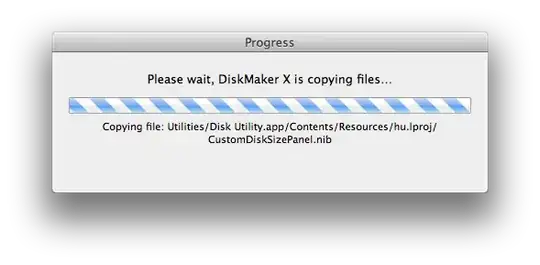
EDIT Using DiskMaker X I got the same error

enter image description here

M K
  • 11,047
  • well, did you assured that the file is existent? If you open the finder you can open the package with a right click and then "show folder contents" – napcae Oct 24 '13 at 16:10
  • I already checked it, it's there. I can see createinstallmedia – Ankur Arya Oct 24 '13 at 16:11
  • Not sure if this will fix your problem, but you also have the wrong syntax. At the end of your command, it must be a double dash, so --nointeraction – napcae Oct 24 '13 at 16:22
  • tried it, didn't help, tho I am able to make bootable disk of Mountain Lion with DiskMaker X – Ankur Arya Oct 24 '13 at 16:34
  • I would recommend re-downloading the Mountain Lion installer just to make sure your copy isn't somehow corrupted. I used the same command you have and it worked perfectly for me. – zggz12 Oct 24 '13 at 18:50

2 Answers2

10

Had the same problem. Thought the file "createinstallmedia" was missing, but that wasn't the case. Then I realised I simply needed to make it executable with the following command:

sudo chmod +x /Applications/Install\ OS\ X\ Mavericks.app/Contents/Resources/createinstallmedia

This will create the executable that DiskMaker X initially couldn't find. After running the command above you shouldn't have the error anymore.

Hope that helps :)

nohillside
  • 100,768
Dionisio Nunes
  • 116
  • 1
  • 3
2

Solved it

I copied the same Install OS X Mavericks.app in a different Mac that was running on Mountain Lion 10.8.5 and tried DiskMaker X and it worked. I'm not sure but maybe the reason was that OS X Mavericks GM Build doesn't support the command that was used or maybe there's a different way to copy things on OS X Mavericks using terminal.

Update

I tried making another bootable USB using my Mac (OS X 10.8.5) with the same Install OS X Mavericks.app but failed to do so, it seems that you can only make a bootable USB on the same system that you've downloaded Mavericks on. enter image description here

  • Interesting. I got a different error from 10.6 ( http://apple.stackexchange.com/questions/106172/create-bootable-drive-from-command-line ) – Kent Oct 25 '13 at 12:40