New in OS X Mavericks, when using the famous dock on the left or right site:
It has a white background now. It makes it hard to see the icons and the design is awful.
Does anyone know how to change it back to the old black and transparent style?
(in the screenshot on the left side)
Same Topic available on apple boards:
https://discussions.apple.com/thread/5469133
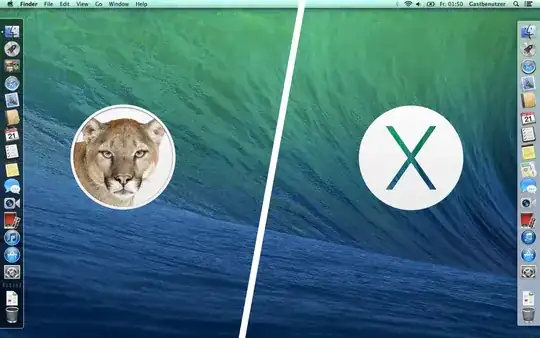

 After:




System/Library/CoreServices) of Mavericks with a Mountain Lion version? I vaguely remember doing something similar on Mountain Lion with a Snow Leopard dock (or something along those lines). Of course do backup your original Dock.app when attempting this. I repeat: do backup your original Dock.app. Good luck. – Saaru Lindestøkke Oct 31 '13 at 01:44